Blog

  • 4 Best Settings for Using a Blue Yeti for Singing

    Blue Yetis are known for their crystal-clear recording capabilities. However, they’re loaded with so many patterns and other adjustments that it can be difficult to make your singing sound true to life. Fortunately, there’s a four-step process to get the most out of your vocals while using a Blue Yeti microphone.

    The best settings for using a Blue Yeti for singing include choosing the cardioid pattern to ensure the microphone only records what’s in front of it, setting the onboard gain to -10, and editing your recording through a digital audio workstation. Place the mic about 10 in (25.4 cm) away from your mouth.
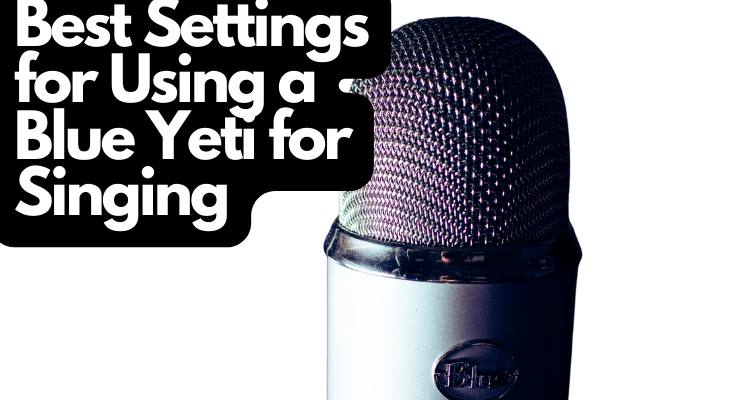
    How To Properly Position a Blue Yeti 1

    In this article, I’ll explain everything you need to know about achieving the best singing quality from your Blue Yeti. I’ll also show you a handful of reasons why your mic might not sound as good as you’d hoped.

    1. Choose the Correct Pattern

    Blue Yeti microphones come with multiple recording patterns. You can cycle through them on the front of the device. Leads Rating explains the cardioid recording pattern is the best setting for singing with your Blue Yeti. This polar pattern only records everything in front of it, making it much easier to get a crisp, clear audio clip.

    Here are the remaining recording patterns and why you might consider them for singing:

    • Stereo recording pulls nearby noises from all directions while the backside is semi-muted. This setting is ideal if you have two people singing at the same time. Keep in mind that the stereo recording setting won’t provide clear results unless you’re sitting within two feet of the side or front of the microphone.
    • Bidirectional recording isn’t very useful when it comes to recording vocals. It opens the polar pattern to receive incoming noises from the front and back of the mic while the sides are muted. This setting is usually used for recording podcasts with a guest. However, you could use it if you’re stuck in a small space with a second singer.
    • Omnidirectional recording pulls sounds from all directions. This setting should almost never be used for singing with a Blue Yeti. Not only does it drastically increase the chances of recording white noises, but it also pulls away from your voice’s clarity. However, it could be used if you have three or more singers in a soundproofed room.

    The cardioid setting is almost always the best option for singing with a Blue Yeti. For optimal results when recording two or more voices, use the cardioid setting and record each clip separately. You can layer them in a DAW (digital audio workstation) to make it sound like everyone’s singing at the same time.

    Note: The Blue Yeti has a polar pattern knob at the base of the mic. Simply turn the knob to the desired setting. You can use this knob while recording to test each variation, deciding which one best suits your singing needs. If you don’t like the cardioid polar pattern, try the stereo setting.

    2. Set the Onboard Gain

    Your Blue Yeti has two primary settings: Gain and Polar Pattern. Now that the polar pattern is set, you should know the importance of the gain knob. E Mastered recommends setting your gain at -10, without letting it get below -18 or above -6. Gain is measured in decibels (dB), with each dB making a significant difference.

    Many people often confuse gain and volume. Here’s the best way to separate them when singing into your Yeti Mic and making setting adjustments:

    • Volume is how loud the recording sounds when it’s coming through the headphones, speakers, or other audio equipment. Increasing the volume doesn’t affect the input on most audio interfaces and other recording devices.
    • Gain is how loud the audio signals are when they go into the recording device and the audio interface. If the gain is too high, it’ll sound foggy and muffled. If the gain isn’t high enough, your audio recording will sound patchy because it’s not picking up enough sounds.

    Note: Singing gain settings are different from instrumental gain settings, especially if you’re recording through an external mic (such as your Blue Yeti). Make sure you adjust the gain accordingly.

    Check out: Gain Vs. Volume Explained

    3. Proper Mic Placement Is Key

    Knowing where and how to position your Blue Yeti is perhaps one of the most overlooked settings. While it might not be a knob or button on the mic, the position can make or break your recording. It needs to be close enough for optimal clarity but far enough to prevent plosives (you should also use a pop filter for singing).

    Consider these tips when using a Blue Yeti for singing:

    • Keep your microphone about 10 inches away from your face when you’re singing. If your Blue Yeti is too close, it’ll sound muffled and unprofessional. If it’s too far away, you won’t be able to hear your voice as clearly. Keep in mind that you should set the gain prior to finding the proper positioning. You can alter both settings afterward.
    • Blue Yetis record from the front, not the top, so ensure you have the top pointed toward the ceiling. The microphone’s rounded top often misleads people into believing it’s the receiver. Look for the ‘Back’ label on your Blue Yeti to know which direction it should face. You can rotate the mic with its hinges to achieve a better setup.
    • If you don’t have acoustic foam in your recording room, keep the mic away from windows, doors, and other areas where sound can enter. The fewer echoes, the better. Walls, hardwood floors, tiles, ceilings, and other obstacles don’t absorb soundwaves; they echo them around the room, sending them into the Blue Yeti mic.
    • Make sure the front of the mic is pointed at you, especially if you’re using the suggested cardioid polar pattern. The stereo setting will let you record from the sides, but the best quality comes from the front. It’s also good practice to get used to pointing the microphone directly at your mouth (the front, not the top!).
    • Put the Blue Yeti on a stable, level surface. If your Yeti pics up random bumping sounds when you accidentally touch the table it’s on, consider getting a shock mount. Use a leveler tool to ensure the Blue Yeti is flat, then check if it moves randomly. These small adjustments will prevent pops, sound wave spikes, and other recording issues.

    Once you have all the onboard settings and proper placement ready to go, it’s time to learn the best DAW settings for using a Blue Yeti for singing. These adjustments play a major role in the final audio clip. They can also add unique effects that greatly improve your voice (or make it much worse than it actually is). Read on for more information.

    Check out: Blue Yeti Position

    4. Use a Digital Audio Workstation Settings for Your Yeti Mic

    Digital audio workstations are almost unavoidable for those who want to record their vocals with a Blue Yeti. This software allows you to adjust the ambiance, compression, and many other important settings.

    Some of the most popular digital audio workstations include:

    • Image-Line by FL Studio
    • Apple Logic Pro
    • GarageBand
    • Steinberg Cubase
    • Ableton Live
    • PreSonus Studio One
    • Avid Pro Tools

    Best DAW Settings for Singing With a Blue Yeti

    There are many other options, both free and paid. Search for your preferred DAW, then consider these best settings for using a Blue Yeti for singing:

    • Compression: This adjustment lets you prevent loud sounds from clipping the recording. When something (your voice, in this instance) gets too loud, it can spike and clutter the recording. Adjust the compression after recording your singing to ensure nothing is too loud. Your sound waves should be relatively level and steady.
    • Gain: Much like the onboard gain setting on your Blue Yeti, any DAW will let you change the gain. Most default gain settings are perfectly acceptable for singing. That being said, I highly recommend ensuring it’s on the same level as your Yeti microphone. The last thing you need is white noise generated from unequal gain settings.
    • Low, Mid, and High EQ: These settings let you control which of these wavelengths is dulled, muted, or highlighted. For example, if you want more bass in your vocals, you could increase the Low EQ setting. On the other hand, if you prefer highlighting your higher octaves, raise the High EQ knob.
    • Reverb and ambiance: Reverb and ambiance are common DAW settings that let you choose the echoed qualities of your recording. Lots of reverb makes it sound like you’re recording a live performance at a concert (with sound carrying steadily), whereas increasing the ambiance makes the audio clip sound fuller.
    • Noise gate: The noise gate works as the opposite setting of compression. Where the compression prevents loud noises from recording, the noise gate lets you choose the lowest dB recorded. This is an excellent way to improve your vocals if there’s a lot of background noise. Increase it until you can hear your voice, but not anything else.

    Some high-end digital audio workstations have additional features. If you’re worried about making the previously mentioned setting adjustments, you can look for the DAW’s singing default options. Many DAWs (such as GarageBand) have several microphone default settings that let you adjust the recording without messing with knobs, sliders, and other options.

    Why Does My Blue Yeti Mic Sound Bad When I Sing? 

    Your Blue Yeti mic sounds bad when you sing because you’re not using the correct polar pattern, the gain is too high, or you recorded with a higher headphone volume than recommended. Additionally, too much white noise can cloud a vocal recording, and your DAW can have negative side effects.

    Here’s a detailed look at each of these Blue Yeti issues and why you should avoid them:

    • You’re stuck between polar patterns (or you’re using the wrong one). If you don’t turn the knob until it clicks, your Blue Yeti will be stuck between multiple recording patterns. This means it can open the sides or back to record without you knowing about it. Make sure you have the knob firmly placed in the correct position (cardioid or stereo).
    • According to The Podcast Host, you should set the gain as low as possible without muting yourself. This will allow you to avoid picking up background noise while ensuring your voice is quite clear. You can move a bit closer to the mic or raise your voice if you’re having trouble with random soundwave mutes in your DAW.
    • You might have your headphones too loud, which makes the draft sound clearer and better than the final recording. This is a common beginner mistake, so don’t worry. Increasing your headphone volume while recording lets you hear your voice clearly, but most of the white noise doesn’t show up until you’re done recording.
    • Excessive amounts of white noise and background noise can hinder your Blue Yeti singing recordings. Echoed vocals throughout the room, sounds from outside, other people talking in the neighboring room, and even ceiling fans can make your Blue Yeti sound awful. This isn’t the mic’s fault; it can happen to the best mics available.
    • Default DAW settings (or messing with them too much) can undoubtedly alter your Blue Yeti mic. Many digital audio workstations have default settings that affect compression, gain, low, mid, high, and more. Make sure you adjust the settings with the aforementioned suggestions (or choose default singing settings, if possible).

    Making the necessary adjustments will help your Blue Yeti sound significantly better. There’s a reason dozens of professional singers, podcasters, and other recording artists use Blue Yeti microphones. The onboard settings are a major part of the recording but don’t forget to play around with the DAW to find what suits your musical taste.

    Check out: Best Blue Yeti Microphone

    Final Thoughts

    While Blue Yeti microphones are some of the best budget-friendly recording mics on the market, they need a few setting changes to reach their full potential. Remember, your room’s acoustics also play a major role. Consider adding acoustic foam to dampen echoes and incoming noises from outside the recording room.

    Sources

    • https://www.thepodcasthost.com/equipment/why-is-my-blue-yeti-fuzzy/
    • https://emastered.com/blog/how-to-record-vocals
    • https://www.leadsrating.com/microphones/make-yeti-sound-better/

    Was this article helpful?
    YesNo

  • How To Use a Blue Snowball on Mac (Easy Guide)

    Blue Snowball is one of the most popular USB microphones available in today’s market. While the mic is usually effortless to set up, some Mac users have reported problems using it. So, how can you best use Snowball on Mac, and what issues should you look out for?

    To use a Blue Snowball on Mac, adjust the device’s settings to make sure it’s recognized by the operating system. Snowball is compatible with all current OS versions, and most issues stem from a bad USB connection or improper setup.

    Read on to find out how to use your Snowball on a Mac. Below, I’ll also give you some tips on common issues and how to troubleshoot them. Let’s get started!

    How To Use a Blue Snowball on Mac Easy Guide1

    1. Invest in a Good-Quality Adapter

    This mic is designed as a plug-and-play unit, so you shouldn’t need any extra gear to set it up. But if you’re using Snowball on a MacBook Air, you’ll need an adapter to connect the USB-A to the Lightning port. I suggest only buying official Apple cables. Although third-party lightning cables are available at a lower price, they are often fraught with problems.

    2. Open Sound System Preferences

    You should already be familiar with this tab, as it’s where you typically customize your entire Mac. Access it by opening up the Apple menu (click on the logo) or through the settings icon on the dock. Then, click on the Sound icon to access sound settings. Then, navigate to the “Input” tab and click on it. 

    3. Select Your Microphone

    Under “Choose a device for sound input,” you should find your microphone (named Blue Snowball, in this case) if it is recognized by your Mac. Double-click its name to choose it.

    If you don’t find your mic listed here, I’ve mentioned a few troubleshooting tips below to help you fix that.

    4. Adjust the Volume

    You should now find a volume slider that you can adjust to change the input volume. That is, the gain of the signal the microphone will feed into your computer for recording/processing. Take some time to experiment with different input levels, as doing so will significantly affect the final results of your audio recording.

    Common Problems When Using Blue Snowball on a Mac

    Despite the simple and straightforward plug-and-play system, USB microphones like the Blue Snowball often have problems connecting to Mac computers and laptops. Below are the most common problems you may encounter and how to fix them. 

    Blue Snowball Is Not Recognized by Mac

    If your computer doesn’t recognize your Blue Snowball microphone, don’t worry—this happens a lot. This problem is actually common among all USB or external microphones connected to Mac computers and laptops. 

    For many users, it’s usually because they haven’t chosen the correct microphone during the setup process. However, some report that the microphone doesn’t show up in the list of options at all. 

    One way to try to fix this problem is to keep your Blue Snowball plugged in while rebooting your device. This will give the system a chance to refresh the drivers and iron out any errors.

    Bad USB Connection

    As expensive as Apple products may be, their lightning cables are notorious for getting frayed and damaged sooner than expected. Even if there’s no visual damage on the cable, there may be some internal damage that will surely disrupt the USB connection. 

    Before you go out and splurge on a new cable, you need to be sure that the USB connection isn’t the problem. It’s easy enough to check—use the cable for a different purpose and observe if it’s working normally. If it isn’t, replace the cable. Otherwise, there’s no need to get a new one.

    Hissing Sound 

    Many Mac users also report crackling and hissing sounds when recording using their Blue SnowballOpens in a new tab. microphone. Obviously, this can seriously reduce audio quality. So, if you hear any background crackling noise on your recordings, it’s best to fix the problem at its root. 

    At the back of your Blue Snowball microphone, you’ll find a switch marked 1, 2, and 3. These are microphone pick-up patterns, which you should already be familiar with if you intend to record anything professionally. 

    According to the Blue Snowball user guide, these pick-up patterns are as follows:

    • Position 1: Cardioid
    • Position 2: Cardioid (-10dB pad)
    • Position 3: Omnidirectional

    If you’re hearing crackling and hissing sounds, it’s probably because you have the microphone set at position 1. Changing to position 2 or 3 will reduce this sound, but it’s best to experiment on your own. 

    The Microphone Volume Is Too Low

    Some Mac users have reported that while everything else works just fine, their microphone input volume remains too low despite adjusting it. This problem may arise if the microphone’s volume settings are stored in the PRAM or NVRAM. 

    Resetting the PRAM and NVRAM will delete any existing settings and allow the system to start afresh. Here’s how you can do that:

    1. Turn off your Macbook by clicking on “Shut Down…” after clicking the Apple icon menu.
    2. Turn on your Macbook. 
    3. Immediately press and hold the following keys: Command + P + R. 
    4. Continue holding the keys until your Macbook restarts (around 20 seconds). You should see the Apple logo appear, disappear, and then appear for the second time. 
    5. Reconfigure your microphone settings as explained above.

    Blue Snowball Is Not Working on Some Apps

    Some users have noticed that their microphone works just fine when recording for the most part, but tends to stop working on certain apps or editing software. This problem usually occurs because the app does not have permission to use the microphone. 

    This feature in Mac is a safeguard against malware and other malicious software. Luckily, granting permission to individual apps is simple enough. Here’s how: 

    1. Click on “System Preferences” from the Apple icon menu.
    2. Navigate to “Security & Privacy”.
    3. Click on the “Privacy” tab.
    4. Click on “Microphone”,  it should be on the left-hand side of the window.
    5. You should now see which apps are allowed to use the Blue Snowball device. Find the relevant app and grant permission by clicking the check mark.
    6. If the app already has permission, remove the check mark and grant permission again to reset.
    7. Test your microphone on the app in question.

    If you’ve followed these steps and the mic still doesn’t work on certain apps, try uninstalling and reinstalling the app. Otherwise, there might be a problem with the app itself. Contact the app developers for help.  

    Troubleshooting Tips

    The Blue Snowball is an excellent choice for Mac users because of its effortless installation and setup. However, you might occasionally find yourself in need of troubleshooting to figure out what is causing problems with the microphone.

    Here are a few tips on troubleshooting your Blue Snowball on your Mac:

    • Check that your system is fully updated and that it meets the system requirements for using the Blue Snowball.
    • Ensure that the USB connection is not disrupted.
    • Reinstall the microphone to ensure it is installed correctly.
    • Test the microphone on other devices to ensure it is not faulty.
    • Reset PRAM
    • Turn on the dictation feature. Even if you don’t intend on using this feature, turning it on will enable your Mac to download all the installation files, which in turn helps things run smoothly. 
    • Try restarting to Safe Mode. (Shut down the Mac and hold the shift key during start-up until it boots in Safe Mode). Configure and test the microphone in Safe Mode, then restart your Mac as usual.

    Why Use the Snowball Instead of the Built-in Mic on Your Mac

    As with most other laptops, Macbooks generally come with a built-in microphone, which isn’t particularly bad to use. But using a Snowball allows you to access more features, especially direct monitoring and microphone pick-up patterns.

    You can also use the Snowball to record multiple sound sources—for example, when you have a guest on your podcast. Additionally, if you want to record musical instruments, the built-in microphone simply won’t do the instruments justice. Snowball is perfect for directing pick-up patterns and reducing excess noise.

    If you don’t intend to record anything using your Blue Snowball, it can still be an excellent mic to use for dictation and other purposes. For example, you can use it for online meetings (on Zoom, Skype, etc.) You can also use it during live streaming, gaming, or other situations that require a microphone.

    Most users buy the Snowball for recording purposes, and Mac is perfect for post-editing. Here are some ways you can use your Mac and Blue Snowball together for professional-quality recordings:

    • Record multiple music tracks of yourself playing each instrument and edit them using your Mac to form one soundtrack. 
    • Record a podcast with multiple guests (even two or three, as you have 4 USB ports on your Mac). 
    • Record a vlog using the camera on your Macbook. The Snowball will record clearer audio.

    Software To Record and Edit Audio on Mac

    You can use whichever software you prefer to record and edit your audio. For example, there’s an official app by Blue called Sherpa. However, the mic is also compatible with most major audio recording apps, so, you can pick and choose the app of your liking when you need to tweak the settings on your Blue Snowball. 

    The following are the most popular audio recording apps for Mac users to pair with Blue Snowball.

    Audacity

    Audacity is a free, open-source audio recording and editing app that will be powerful enough for most applications. It supports a wide variety of plugins and has all the essential effects and editing tools, including:

    • Pitch change
    • Noise reduction
    • Compressor
    • Echo, distortion, reverb, etc
    • Transitions
    • Mixing

    Audacity may not have the most polished interface, but it’s hard to beat when you consider it’s free.

    However, if you plan to make music, you’ll need something more robust.

    Logic Pro X

    This is the first app to include Dolby Atmos and Spatial Audio tools, which are highly sought after for audio recording. You can make the most out of your Blue Snowball on your mac using this software, as it provides professional editing options. Here are some of the features you’ll find:

    • Dolby Atmos and Spatial Audio tools
    • Free version available
    • Easy installation
    • The system is optimized for use on the latest Mac OS. 
    • Includes settings with reduced plugins to save CPU power and reduce latency

    MuLab 8

    This lesser-known software is highly suitable for home studios and newbies in the audio recording/editing field. You can use this software to produce professional, high-quality audio. More importantly, its workflow is pretty straightforward and easy to follow. Here’s what you can expect from this software:

    • Time stretching and pitch shifting
    • Exceptional workflow makes it easy to get editing done
    • Affordable price
    • Full-featured MIDI
    • Numerous effects and plugins
    • Free version available

    GarageBand

    Considered a great audio recording and editing software, Garageband is a great tool to use if you want to produce high-quality audio. Its user interface is intuitive and offers fast performance.

    GarageBand is better known for being an easy-to-use DAW. Just like Logic Pro X, it’s developed by Apple and a Mac exclusive. If you want to dip your toes in music production with the help of your Snowball but don’t want to commit to a professional DAW, GarageBand is the perfect place to start.

    Here’s what you can expect when using Garageband:

    • Professional user interface
    • High-quality editing options and features.
    • 24-bit recording
    • Third-party plugin support

    I must mention that Garageband does not offer a free version.

    Final Thoughts

    Setting up and using Blue Snowball on your Mac shouldn’t be too much of a hassle. If you follow the setup process correctly, you shouldn’t face any major problems. Even so, troubleshooting potential issues is simple enough, and there’s no shortage of audio recording and editing software available for Mac users. 

    A professional-quality recording is just a few clicks away, and Blue Snowball is extremely easy to use. Record vocals, podcasts, and music using this affordable mic on your Mac and get professional-sounding results at home.

    Sources

    • AARP: USB? USB-C? Lightning? Making Sense of Connectors
    • Apple Support: System And Kernel Extensions In macOS
    • Administrivia: About NVRAM and PRAM
    • Indiana University Bloomington: Introduction to the MIDI Standard
    Was this article helpful?
    YesNo

  • Acoustic Foam Vs Acoustic Panels: Which is Better?

    People often confuse acoustic foam with acoustic panels and vice versa. Both of these materials absorb and reduce sound waves, though neither of them is completely soundproof. If you’re thinking about adding sound insulation to your home, studio, or anywhere, it’s essential to know the difference between these two items.

    Acoustic panels are better because they reduce all incoming frequencies, whereas acoustic foam specifically targets higher frequencies. Additionally, acoustic panels are denser, which means they provide optimal soundproofing. Acoustic foam is much cheaper, making it a budget-friendly option.

    Throughout this article, we’ll explain the pros and cons of acoustic foam and acoustic panels to help you find out which one is better for you. We’ll also dive into a handful of frequently asked questions. Enjoy!

    Acoustic Foam Vs Acoustic Panels Which is Better

    Pros and Cons of Acoustic Foam

    While acoustic foam usually isn’t as effective as acoustic panels, it’s still worth trying for some people. If you’re looking for a low-cost at-home soundproofing solution, acoustic foam is more than worthOpens in a new tab. trying. That being said, you should know all of the pros and cons before deciding if it’s the right choice for your home.

    Below, we’ll cover the advantages and disadvantages of acoustic foam.

    Advantages of Acoustic Foam

    • Acoustic foam is quite inexpensive. You don’t have to break to the bank to soundproof a room with this cheap DIY solution. While acoustic foam might not be the most effective treatment, it’s much better than having exposed drywall in a podcast studio or an entertainment room.
    • You can place acoustic foam in the walls. Acoustic foam comes in several shapes, which means you can easily fit it inside nearby walls. Layering acoustic foam over sound insulation foam can make a world of difference. These foam pads can be compressed without getting damaged, so you don’t have to worry about harming them in the wall.
    • Acoustic foam drastically reduces higher frequencies. If there’s a lot of treble in your music or you have children and pets, you’ll love acoustic foam. These panels absorb higher frequencies, making them much less noticeable in your recordings and speakers. Furthermore, they limit outgoing noise quite well.
    • You can choose from varying densities and thicknesses of foam. Acoustic foam is made with small air pockets to improve sound insulation. However, you can choose higher-density foam that has smaller air pockets. Acoustic foam often ranges from a ½” to 3 inches thick.
    • Acoustic foam lowers noise pollution. Quiet Life Pro explains that acoustic foam is extremely effective when it comes to lowering noise pollution going into and out of a room. In other words, you won’t have to hear too much white noise from fans, HVAC units, or anything going on outside of the building.

    Disadvantages of Acoustic Foam

    • Acoustic foam isn’t great when it comes to mid-range and low frequencies. If there’s a lot of bass in your music or recordings, you’ll have trouble balancing the frequencies. Acoustic foam doesn’t have enough density to handle these tones, which means your recordings might sound a bit lower than they are in real life.
    • It’s not nearly as durable as acoustic panels. Acoustic foam is made of cheap foam. It’ll last a couple of years, but it’s not resistant to humidity, extreme temperatures, or direct force. You can’t remove and stick acoustic foam to new spots too many times without ripping the foam apart.
    • Acoustic foam doesn’t provide the same sound deadeningOpens in a new tab. as acoustic panels. Regardless of its density, it’s made of a type of foam that isn’t as effective as acoustic panels. This is one of the many reasons acoustic foam is much cheaper than acoustic panels, but it’s still worth it for DIY enthusiasts.

    Pros and Cons of Acoustic Panels

    Acoustic panels almost always win the comparison. They come in multiple sizes, and they’re the best in terms of all-around sound deadening. There’s no denying their high price point compared to acoustic foam, but many people find that they’re worth it. If you’re interested in learning the reasons you should consider acoustic panels, you’re in the right place.

    Here are the advantages and disadvantages of acoustic panels:

    Advantages of Acoustic Panels

    • Acoustic panels are some of the best sound insulation tools you’ll come across. They’re often used in professional recording studios, movie theaters, and many other buildings that require the highest level of sound control. If you want top-shelf soundproofing, acoustic panels should be at the top of your list.
    • They come in multiple shapes and sizes to fit almost any space. Acoustic panels come in square and rectangular models, both of which use several dimensions to suit your needs. We recommend choosing acoustic panels that cover as much space between the studs in the walls as possible.
    • Acoustic panels absorb high, medium, and low frequencies. Overtone Acoustics claims acoustic panels are very efficient when it comes to managing all frequencies (unlike acoustic foam). This is because they absorb every sound rather than rippling, reflecting, or dispersing the sound waves.
    • You can choose from multiple materials with varying densities. They’re often made with fiberglass, cellulose, acoustic foam, mineral wool, and many other materials. Most acoustic panels are wrapped with wooden frames to support the sound insulation inside the panel. Some materials are more expensive than others because they’re denser.
    • Acoustic panels reduce unwanted white noise in audio recordings. White noise can ruin music, vocals, and many other sounds. Acoustic panels work wonders when it comes to getting rid of excess sound waves from people, pets, fans, HVAC systems, echoes, and so on. They’re even more effective if you use acoustic glue and caulking.

    Disadvantages of Acoustic Panels

    • Acoustic panels can be much more expensive than acoustic foam. You’ll have to pay significantly more if you want to outfit a whole room with acoustic panels. They’re made with much better materials, not to mention their top-notch soundproofing and frequency reduction. It’s up to you to decide if the price hike is worth it.
    • It’s difficult to place acoustic panels next to each other without having a small insulation gap. Insulation works best when there are little to no gaps. Since foam panels are wrapped around the edges, you’ll always have a tiny gap between them. However, this isn’t always a downside for those who don’t mind a little bit of white noise.
    • Acoustic panels are much heavier than acoustic foam. While acoustic foam often weighs less than a pound per one-foot pad, acoustic panels often weigh between five to ten pounds. This means you might have trouble mounting them to loose paint or flimsy walls. Again, this isn’t a downside for those with durable floors, walls, and ceilings.

    Which Acoustic Soundproofing Method is Better?

    Acoustic panels are better for soundproofing and sound deadening. Acoustic foam is still worth it for many at-home studios, podcasts, and home theaters. Just because acoustic panels offer better perks doesn’t mean they should be the only soundproofing method you go with. It’s important to know everything about panels and foam before choosing.

    Ask yourself these questions to know if you should get acoustic panels or acoustic foam:

    1. What’s your budget? If you don’t have a lot to invest in your soundproofing project, it’s best to choose acoustic foam. You can set the rest of your budget aside for soundproof caulking, acoustic glue, and soundproof rugs or curtains. Those who have a high budget can opt for acoustic panels with the rest of their setups.
    2. What are you soundproofing? If you only need to soundproof a small microphone box for streaming or vlogging, you can use acoustic foam. It’s perfect for higher frequencies, making it an excellent match for pop filters and uni-directional mics. However, those with home recording studios and podcast rooms should use acoustic panels.
    3. Is the drywall soundproofed? If the drywall is soundproofed, you can use either acoustic panels or acoustic foam. They’re both quite effective when paired with soundproofed drywall. Professionals often soundproof drywall by adding sound isolation clips between the studs or resilient channels to reduce the vibrations.
    4. Do you want to eliminate white noise? If your goal is to get rid of as much white noise as possible, nothing will beat acoustic panels. They work on all frequencies, not just higher frequencies. Since most white noise is caused by mid-range and low frequencies, the acoustic foam won’t be nearly as effective in most scenarios.
    5. How long do you intend to use the room as a studio, entertainment space, etc.? If you only want to use the room for a few months for a short project, you should choose acoustic foam. It’s good enough to get the job done without costing nearly as much as acoustic panels. Those with long-term projects should opt for acoustic panels.

    Do Acoustic Panels Keep Sound In?

    Acoustic panels keep sound in because they dampen and absorb sound waves. This process means most of the frequencies can’t leave the room, especially if all of the walls have acoustic panels on them. Proper placement at the same level as the speakers and other audio equipment ensures the panels keep as much sound in the space as possible.

    The ATS Acoustic Panel is a 24” x 48” x 2” acoustic panel that comes in multiple colors to match your room. It’s made with fire-resistant, soft fabric that absorbs sound frequencies to promote a high-quality, soundproofed environment. Each panel is filled with mineral wool, which is well-known for its lightweight construction and top-notch sound insulation.

    ATS Acoustics Sound Absorbing Acoustic Panel Fire Rated Professional Studio Quality 24″ x 48″ x 2″ (Platinum)

    • Panel size is 24″ x 48″ x 2″ and mounts flush to wall
    • Fire Rated Class 1 or Class A per ASTM E84, has a Noise Reduction Coefficient (NRC) of 1.0 out of 1
    • Solid wood internal frame provides high durability, mineral wool core provides superior sound…

    Last update on 2025-05-23 / Affiliate links / Images from Amazon Product Advertising API

    All acoustic panels are great when it comes to reducing unwanted echoes and improving audio clarity. Part of maintaining a soundproofed room is ensuring the sounds don’t leave the room but that they don’t echo, either. With a good set of acoustic panels, you won’t have to worry about hearing muffled audio or disturbing anyone outside of the studio.

    Does Acoustic Foam Make Music Sound Better?

    Acoustic foam makes music sound better because it limits the echoes and reverberations in a room. Music often sounds cloudy or muffled if there are too many echoes. Optimal sound clarity is created by lowering the repetition of each sound wave. Using acoustic foam will ensure the sound waves slow to a halt before interfering with the music.

    Acoustical Solutions explains that acoustic foam drastically reduces sound reverb, preventing it from ruining soundproofed buildings. Whether you’re producing live music, recording it, or listening to it through speakers, adding acoustic foam will make a world of difference compared to dealing with bare walls.

    The Donner Soundproof Foam Panels come in a 12-pack of 12” x 12” x 1” panels. You can place these high-density panels next to each, cut them down to size, or install them within the walls for improved sound insulation. You can also choose bulk packs with more panels or thicker foam (up to two inches) for better results.

    Donner 12 Pack Sound Proof Foam Panels, 1″ x 12″ x 12″ Acoustic Panels, Wedge Sound Absorbing Panels for Studio Recording & Office & Home Studio

    • 【 Wedge Surface & Perfect Sound Absorption】Donner acoustic panels are designed for sound…
    • 【High-quality Flame-retardant Material】Soundproof foam panels have high-density polyurethane…
    • 【Easy to Use & Install】Soundproof wall panels can be soaked in water for a while and then…

    Last update on 2025-05-23 / Affiliate links / Images from Amazon Product Advertising API

    Can You Combine Acoustic Panels and Acoustic Foam?

    You can combine acoustic panels and acoustic foam by installing the foam inside the walls. The panels shouldn’t be installed in the walls because they can damage the fabric or wooden frame. However, soundproof drywall insulation (spray foam, insulation clips, etc.) is much more effective when installed inside of a wall compared to acoustic foam.

    Another way to combine acoustic panels and acoustic foam insulation is if you want to use them for vlogging or podcasting. Building a small soundproof music box for your microphone with acoustic foam. Then, layer the walls with acoustic panels for the aforementioned perks.

    That being said, it’s better to layer the walls with acoustic panels rather than mixing acoustic foam between each panel. You’ll get more bang for your buck, not to mention the uniform appearance.

    Final Thoughts

    Acoustic panels and acoustic foam both offer numerous benefits. They’re both worth adding to your soundproofed room, but you should choose one rather than combining them (unless you place foam in the walls). Acoustic panels are undoubtedly the better choice, but that doesn’t mean acoustic foam won’t get the job done for many people.

    Was this article helpful?
    YesNo

  • Blue Snowball Not Working on Discord? How To Fix It

    Discord is a great platform to build a fan base for your home-based podcast, and it’s a place where you can interact one-on-one with your listeners. If you’ve noticed that your Blue Snowball tends to stop working on Discord, you’re not alone. 

    Blue Snowball not working on Discord can be due to settings, updates, permissions, or even connectivity issues. Making sure the Blue Snowball is set as your default microphone and has all the appropriate permissions can ensure the mic never stops working on Discord.

    This article will review a wide variety of methods you can use to try and get your Blue Snowball to work consistently on Discord. There are no complex fixes involved, so you should be able to resolve the issue quickly. Here are all the things you should check regarding the Snowball not working on Discord and the easy ways to fix them.

    Blue Snowball Not Working on Discord How To Fix It

    1. Ensure You Aren’t Muted on Discord

    This may sound strange, but there is a great chance that you are muted on Discord. This might be happening accidentally, meaning you are muting yourself and forgetting about it. 

    The most likely explanation for this is that you’ve set your microphone on “toggle to mute.” The setting allows your mic to remain muted unless you’re pressing on a specific key-bind. 

    In any case, verifying whether you’re muted on Discord is no big deal. Here’s what you need to do to check if you’re muted and unmute yourself:

    1. Open Discord
    2. Make sure that the mic symbol doesn’t have the “no” symbol on it, and toggle it if needed.
    3. Click on Settings and toggle the user volume to ensure you aren’t deafened.
    4. Ask other members of a Discord server to set your user volume at the highest possible setting.

    Lastly, check if a moderator has muted you on a specific server. Checking your mic on a number of servers will help you figure this out. 

    2. Change the Input Device on Discord

    As you’d expect, the default setting on Discord is to choose your computer’s default microphone as a voice input device. The problem can be exacerbated if you use multiple microphones as well. 

    Often there is an error when plugging in external microphones like the Blue SnowballOpens in a new tab., where it remains a secondary device instead of replacing the default mic.

    You can check the chosen input device on Discord by clicking on the settings icon and navigating to “Voice & Video.” Under INPUT DEVICE, you should see your microphone’s name. 

    If it’s set to another microphone or set as default, you can select the correct option via the drop-down menu. Stay on this window because there are other settings you might want to adjust from here. I’ll discuss them in the next steps. 

    3. Adjust the Microphone Sensitivity on Discord

    As with several other platforms and programs, Discord allows you to set microphone sensitivity to optimal levels. This means that you can tweak your microphone to record fewer or more wavelengths of sound.

    In layman’s terms, that would be setting the microphone to listen to very quiet sounds or ignoring quiet sounds and listening only to louder sounds. If this parameter is not properly configured, you’ll find that the microphone will only work if you’re very loud. 

    Luckily, adjusting microphone sensitivity is pretty simple:

    1. Navigate the “Voice & Video” tab in Discord’s settings.
    2. Under INPUT SENSITIVITY, you should see a green bar. If the bar is green, it has been set to automatically determine the input sensitivity.
    3. If not, uncheck the automatic input sensitivity button to set it manually.
    4. Talk into the microphone with a neutral voice—not too loud, not too quiet. Make sure you’re not speaking directly into the microphone, and remaining at a normal distance away from it. 
    5. Set the microphone sensitivity according to the size of the bar when you’re speaking. 

    4. Update Discord Permissions

    Windows has a fairly decent firewall system in place that usually works smoothly but can be overzealous at times. If you’ve recently updated your Windows operating system, you might find that the Discord app doesn’t have permission to use audio devices. This is a safety precaution set in place by Windows to prevent those with malicious intent from using your microphone. 

    However, without the relevant permission settings, Discord won’t be allowed to use any audio devices through your computer.

    Here’s how to fix that:

    1. Click on the Settings wheel icon from the start menu. (Alternatively, you can press Win+i)
    2. Click on “Privacy” then “Microphone” on the left pane of the settings window.
    3. Click on “Change”
    4. Ensure that the toggle for “Allow apps to access your microphone” is set to “on.” 
    5. Scroll down, and search for Discord under “Choose Which Microsoft Store Apps Can Access Your Microphone.”
    6. Ensure that the toggle next to Discord is set to “on.”

    5. Adjust the Microphone Settings

    You’ll find a physical switch on the back of your Blue Snowball, marked 1-2-3. This is also a setting for audio gain or sensitivity, which is different from volume. It’s basically a parameter regarding how sensitive the microphone should be to sounds that are nearer or farther away from the microphone. 

    Toggle the physical switch on the back to see if this is what is causing your mic to stop working on Discord. It helps to have someone else listening to you through the platform. 

    6. Check the Connection

    Blue Snowball connects to your computer via the USB port. Sometimes you might find that you haven’t connected the cable to the USB port fully, which would stop the mic from working. 

    However, it’s worth noting that this problem will not be Discord-specific. That is, you wouldn’t have been able to use the mic anywhere else. 

    Also, even though the Snowball supports all USB ports, connecting the microphone to the USB 3.0 port on your laptop or PC is preferable. To fix USB port issues, plug out the microphone and plug it back in. You should find that any issues have been resolved.

    7. Set Blue Snowball As the Default Audio Device

    Most people setting up a home studio for podcasting will only have one external microphone. However, if you’re using your home studio for other recording purposes, you might have been using multiple microphones, and switching between them as per your recording needs.

    You’re free to use as many microphones as necessary for your home studio. However, this might interfere with their functioning as the default audio device. 

    Since you’ve already set the Blue Snowball as your input device on Discord, it might be helpful to consider setting the Snowball as the default audio device overall.

    Here’s a quick guide on how to set your Blue Snowball (or any other microphone) as your computer’s default audio device:

    1. Click on the Settings wheel icon from the start menu. (Alternatively, you can press Win+i)
    2. Click on “Systems” then “Sound” on the left pane of the settings window.
    3. Click on “Sound Control Panel” in the right pane. 
    4. Switch to the “Recording” tab in the new window that opens.
    5. Right-click your preferred audio device (Blue Snowball in this case) and click on “Set Default.”

    8. Reinstall Snowball Drivers

    If the problem still persists, you may want to resort to more drastic measures than just tweaking the settings. There may have been an error during the installation of drivers for your Blue Snowball. 

    Luckily, deleting and reinstalling drivers isn’t very complicated unless you’re especially tech-illiterate. 

    The Snowball drivers’ function is to ensure optimal performance and better connection to the mic.

    Here’s what you have to do to reinstall them:

    1. Connect your Snowball mic to your computer.
    2. Open up the start menu.
    3. Type “Device Manager” and click on the result
    4. Expand “Audio Inputs & Outputs”
    5. Right-click on the Snowball microphone driver. 
    6. Click “Uninstall device.”
    7. Expand “Sound, Video, And Game Controllers” 
    8. Right-click on the Snowball microphone driver. 
    9. Click on “Uninstall device.”
    10. Disconnect your Snowball microphone from the computer.
    11. Reconnect the microphone after a few minutes. 

    If connected to the internet, your computer will automatically install the relevant (latest) drivers for the Snowball microphone because the data is saved on a microchip within the device.

    9. Manually Disable Audio Devices

    Sometimes there is a glitch in the connection between audio devices and the computer. This is probably from switching between different microphones—the embedded one, the Snowball, and any other external mic you may have tried using.

    Many users have reported that disabling (and subsequently re-enabling) their audio devices helps reconfigure the connection with audio devices and get rid of any existing glitches. 

    This is how you can manually disable your audio devices:

    1. Unplug your Blue Snowball
    2. Open Device Manager (you can search for it by typing into the start menu)
    3. Expand “Audio Inputs & Outputs”
    4. Right-click on any connected microphones and click on “Disable device.”
    5. Restart your computer.

    Once you’re done with manually disabling other audio devices, you can reconnect your Snowball and start using it.

    10. Update Other Drivers: USB, Audio

    After you’ve exhausted all the possible updates and tweaks regarding your Blue Snowball microphone, you may need to consider updating other drivers that are involved in this process. This would mean the USB drivers and the audio driver. 

    Even if you haven’t ever done anything regarding these drivers, they may be corrupted over time. Windows does a fairly good job of automatically updating and fixing corrupt drivers, but it’s not perfect. There are several paid tools you can find online that help you automatically scan all the drivers installed on your computer and update or fix them as necessary.

    If you aren’t willing to purchase driver scanning software, you can still update the driver manually.

    Here’s how to update your USB drivers manually:

    1. Run the Device Manager
    2. Expand “Universal Serial Bus Controller”
    3. Right-click on a USB driver
    4. Click on “Update Driver” 
    5. Click on “Search Automatically For Updated Driver Software”
    6. Repeat the process for all USB drivers.

    11. Run Windows Troubleshooting

    If all else fails, it won’t hurt to run the Windows Troubleshooting program. This program is designed to diagnose hardware and software errors whenever possible. Your Blue Snowball might be working great on other applications, but it still might have a few errors that need to be addressed.

    You can find the Windows troubleshooting utility by searching for it in your PC’s start menu.

    I highly suggest that you troubleshoot the following three different widgets:

    • Playing Audio: This program is responsible for playing audio after it has been recorded via the mic.
    • Recording Audio: The recording audio is responsible for recording the sound that your microphone sensors are picking up.
    • Speech: The text-to-speech utility on Windows might be interfering with your microphone’s performance. 

    Windows troubleshooting is an automated process whereby Windows will detect and fix problems that it finds after you’ve run the utility.

    Here is how you can do that:

    1. Launch the Settings app (Win+i or the settings wheel)
    2. Click on “Update & Security” then “Troubleshoot.” 
    3. Click on “Additional Troubleshooters”
    4. Under “Playing Audio,” click on “Run The Troubleshooter” and allow Windows to run the troubleshooter.
    5. Under “Recording Audio,” click on “Run The Troubleshooter” and allow Windows to run the troubleshooter.
    6. Under “Speech,” click on “Run The Troubleshooter” and allow Windows to run the troubleshooter.
    7. Restart your computer.

    While this process is not guaranteed to bring results, it has been known to find errors and glitches that need to be fixed. Make sure you have a stable internet connection while Windows is troubleshooting to ensure that the system has access to data from its servers and other information online. 

    Conclusion

    While it can be frustrating when your Blue Snowball mic stops working on Discord, there are many solutions to the problem.

    If you want to proactively prevent this from happening, here are a few things to try:

    • Avoid switching microphones so that your favorite one is always set as the default on your computer.
    • Keep your microphone plugged inOpens in a new tab., even when turning off the computer.
    • Keep your microphone clean.
    • Update drivers and software regularly. 

    By following the steps mentioned in this article, there is a high chance that you won’t suffer from your Blue Snowball not working on Discord anymore.

    Sources

    • SlurpTech: How to Enable Toggle Mute & Push to Mute on Discord
    • Analog Dialogue: Understanding Microphone Sensitivity
    • eMastered Blog: What is Gain & How It Differs from Volume
    • BlueMic: Snowball
    Was this article helpful?
    YesNo

  • Can’t Hear Yourself on a Blue Yeti? How To Fix It

    The Blue Yeti is an excellent mic for singing in home recording studios—as it records crisp audio and allows you to plug in headphones to hear yourself sing. It’s also great for a podcast, video, or streaming studio. But what if you can’t hear yourself on a Blue Yeti? 

    You probably can’t hear yourself on your Blue Yeti due to ambient noise or an incorrectly configured mic. Solutions include soundproofing techniques, proper recording methods, and adjusting the settings and configurations of your microphone.

    Keep reading to learn how to control ambient noise on your Blue Yeti. I’ll also cover the best configuration settings, positioning, and other ways to tweak your Blue Yeti to give you optimal recording every time, regardless of what you’re recording. 

    Cant Hear Yourself on a Blue Yeti How To Fix It1

    1. Use Acoustic Foam Panels To Block Ambient Noise

    If you struggle to hear yourself on your Blue Yeti—ambient noise may be the culprit. Only some have the budget to build a fully equipped home studio, but that shouldn’t prevent you from creating the best quality audio recordings.

     Ambient noise is a problem that all recording studios need to address. Serious recording studios spend millions of dollars on getting rid of it. 

    Ambient noise is a surrounding noise that results from fluctuations in the wind and reverberation (resonance) from hard surfaces in the room. In large-scale acoustic spaces such as opera theaters, you’ll notice that designers enhance the surrounding walls with softer and sound-absorbing materials such as wood and cloth

    At home, you might not have the luxury of going that far. However, acoustic foam panels are an excellent makeshift solution that drastically reduces ambient noise and reverberation. You can test their effect by recording anything in your bathroom without acoustic panels and then with the panels surrounding you.

    The Foamily Acoustic Foam Egg Crate Panel is an affordable 4-pack available on Amazon, which does the trick. They’re lightweight and absorb a lot of ambient noise. 

    Foamily Acoustic Foam Egg Crate Panel – Studio Foam – Sound Panel – Sound Proof – 48″ X 24″ X 2.5″ (4 Pack)

    Last update on 2024-03-12 / Affiliate links / Images from Amazon Product Advertising API

    You don’t need to install them; just lay them around the microphone. When you finish recording, you can stow them away with ease. For those more serious about building a home studio, consider hanging these panels on the wall behind you and in front of you—those are the two walls with the most resonance and will contribute significantly to reducing ambient noise.

    2. Invest in a Pop Shield if You Can’t Hear Yourself 

    A pop shield is another relatively affordable investment you’ll want to make if you can’t hear yourself on your Yeti due to noise. This tool is a round screen-like filter that you can attach between you and your Blue Yeti microphone.

    Essentially a pop shield is a filterOpens in a new tab.. Pop shields eliminate loud noises from plosives in one’s speech by putting a barrier to stop the influx of air. Without it, the wind blowing towards the microphone from breathing and talking would drown out the rest of your voice. 

    You probably recognize pop shields from people (usually news anchors) recording outdoors because they are used to block out noise from the wind.

    3. Reduce the Gain on Your Blue Yeti for Clearer Sound

    You’ll find a hand knob on your Blue YetiOpens in a new tab. marked “GAIN.” You’ll want to play around with this knob until you get the optimum gain level for your recordings.

    Audio gain is a measurement of how much sound the microphone will absorb. Only some manufacturers equip microphones with a method of adjusting audio gain, which is one of the significant positive features of the Blue Yeti.

    Generally speaking, you’ll want to reduce the audio gain as much as possible. Lower microphone gain means that the microphone will only absorb (and record) sound from a smaller diameter around it rather than recording ambient noise farther away.

    The overall result of reducing gain is to focus the recording mainly on your voice. However, you wouldn’t want to minimize gain if one microphone records more than one person (such as in a podcast). The better approach would be to get two Yetis and reduce the sound gain on both. 

    While I suggest reducing the audio gain, a range of frequencies is considered low. Ultimately, nothing will replace trial and error to get the perfect audio gain for the tone you wish to have in the final recording.

    4. Adjust Input Volume To Hear Yourself on Your Yeti

    Although the Yeti has its audio gain controller, it might be better to adjust the same setting using your computer. Only some programs use the same recording configurations, so changing gain through the software is more nuanced. 

    The setting to configure for adjusting audio gain is input volume, which controls which volume you will record through the software. It’s important to note that gain and volume are different.Opens in a new tab. That is why I recommend tweaking both until you get the best results.

    Audio gain controls the tone of the sound from the surroundings to the microphone. Input volume, on the other hand, filters the loudness (not the tone) of the sound when it exits the microphone and enters the software.

    5. Play With the Blue Yeti Microphone Sensitivity Settings

    The Blue Yeti also comes with a handy feature that allows you to adjust how sensitive to noise the microphone should be. You can find these settings on the software automatically installed on your computer when you set up the microphone. 

    If these settings are incorrect, you may need help hearing yourself on your Blue Yeti.

    Many confuse microphone sensitivity and input volume—but they differ. While you can use software to change both settings, each has different parameters. Microphone sensitivity measures how well it can convert sound energy from sound waves detected into electrical energy stored as a recording.

    In other words, it measures how the microphone will record sounds. You’ll need to ask whether you want to record quiet or loud sounds. Generally speaking, you want a highly sensitive microphone to record soft sounds and the opposite for loud sounds. 

    Here’s how to adjust the microphone sensitivity settings on your Blue Yeti:

    1. From the Dashboard of the Blue software, navigate to “Settings.”
    2. Click on “Microphone Settings.”
    3. Select your microphone.
    4. Adjust the default setting (0 dB) higher or lower according to your preference. 

    Adjust these settings while recording. That is, plug in your headphones and start talking as you tweak the settings—this is the only way to get it right. 

    6. Position Your Blue Yeti Mic To Hear Yourself Clearly

    Never underestimate the effect the correct positioning of your mic has on the quality of your recording. For example, you could set up your microphone’s gain and input volume (along with other parameters).

    If you position yourself too far away, you’ll find those settings are slightly off. The same goes for if you sit too close to the microphone. Thus, you might struggle to hear yourself because you are out of your Yeti’s range.

    Experts recommend positioning your mic around 6-12 inches (15.2cm-30.4cm) from your face or the sound source. This number changes significantly depending on what you’re recording. For example, those recording ASMR videos might place the microphone closer for more sound effects. 

    On the other hand, if you’re recording vocals for a song you’ve written, you probably don’t mind keeping some distance between you and your microphone. For podcasting, invest in a pop shield and position the mic further from your guests because only some people speak in the same tone.  

    Also, consider which polar pattern setting (see below) you’ve chosen for your Blue Yeti. When positioning your microphone, you want to be in the center of its polar pattern so that you have some leeway regarding movement, but you’re far away from the dead zone that isn’t recording.

    7. Learn How To Use Yeti Polar Patterns

    Blue Yeti microphones feature four modes based on polar patterns. Choosing the correct polar pattern will allow the microphone to absorb more or less background noise according to your preference, but you must select it correctly. 

    Polar patterns describe the direction and diameter of space from which the microphone should pick up noise. It’s like a setting that tells how far the microphone will listen. Here’s what you need to know about choosing the correct polar pattern. 

    Cardioid

    This polar pattern allows the microphone to be most sensitive right in front and not in the opposite direction. This option is the best for single-person recordings.

    It’s also great for vocals because you can effectively block the rest of the room. This blocking is handy if you have no other means of keeping out ambient noise. Some people would call this type of microphone a unidirectional microphone. 

    Supercardioid

    This setting is more suited for a live stage because it focuses more closely on sound than a cardioid microphone. The directionality of this type of microphone is very narrow, but it can be helpful if you have a band playing in your home studio and you want to record the sound of one instrument more than the others.

    Super cardioid microphones minimize the amount of noise directly next to the microphone. 

    Omnidirectional

    This polar pattern describes the microphone recording everything from all directions. Of course, there are drawbacks to this approach. Namely, you register more ambient sound when using a pickup pattern like this. 

    I would highly discourage using the omnidirectional microphone setting for recording vocals. However, if you have multiple podcast guests and one mic—this might be the best solution (other than buying additional microphones, that is.) 

    Figure 8 (Bidirectional)

    As you’d expect from the name, a bidirectional polar pattern describes a microphone that records in two directions. That is the front and back of the microphone. This type might be suitable for duet vocals but not ideal for vocal recording from a single person. 

    Bidirectional microphones are also helpful in recording musical instruments. So long as you keep the players to the front or back of the microphone, you have excellent control over your recording. You can isolate the sound from two instruments while ignoring the music from others. 

    Choosing the correct polar pattern on your Blue Yeti will allow you to use the mic more effectively. It will also ensure that you don’t unintentionally speak to the blind spot. For example, if you’ve set the mic as Cardioid, then speaking into the back of the mic will record little or none of your voice.

    8. Soundproof Your Studio for Better Yeti Audio 

    Lastly, systematically soundproof your room if you invest in a home studio. Acoustic foam lying around the room will only take you so far. If feasible, you will need to invest in more extensive soundproofing.

    If you’ve tried everything else and still need better results from your Blue Yeti, it’s time to get serious about soundproofing. Here are some soundproofing renovations you might consider in your home studio:

    • Add insulation to your walls. It’ll do wonders for your energy bill and also drastically reduce noise. 
    • Install heavier doors to block sounds. Make sure there are no gaps around the door frame. 
    • Install thick carpeting instead of tile or hardwood floors for increased sound absorption.
    • Fill the gaps in your windows and change the window panes to double-glazed windows.
    • Build a floating floor.
    • Install soundproofing curtains. I found the NICETOWN Blackout Curtain (available on Amazon) does well. It comes in a variety of colors and dampens noise well. 
    NICETOWN Halloween Soundproof Thermal Insulated Blackout Curtain Thermal Insulated Solid Grommet Room Darkening Drape for Dining Room (Single Panel, 42 inches by 84 inch, Black)

    • ELEGANT DESIGN: A panel BLACKOUT CURTAIN per package. Each Curtain Panel measures 42″ wide x 84″…
    • NICE MATERIAL: This smooth, soft and heavy-duty blackout fabric is woven with three-layer…
    • MULTIFUNCTION: This Blackout Window Curtain will prevent harmful UV rays from reaching your floors…

    Last update on 2024-03-12 / Affiliate links / Images from Amazon Product Advertising API

    This process of hearing your voice better on your Blue Yeti microphone is a challenging fix. However, if the main problem is ambient noise drowning your voice out, no matter how much you try to tweak parameters, this may be the only option you have. 

    Conclusion

    For various reasons, your voice might be hard to hear when recording on a Blue Yeti microphone. These reasons include polar patterning, gain settings, or plain old positioning. You can use the above list to isolate your lack of sound through a process of trial and error—you’ll soon have the pleasure of hearing your voice once more.

    Learning to configure your microphone correctly and dampen ambient sounds is the best way to improve recording quality, whether for music, vocals, videos, or podcasting.

    Sources

    • Science Direct: Ambient Noise
    • Izotope: What Are Plosives and How to Remove Them from a Vocal Recording
    • Musician On A Mission: Gain Vs. Volume: What’s The Difference?
    • Lewitt Audio: Microphone Polar Patterns
    Was this article helpful?
    YesNo

  • Is Professional Soundproofing Worth It? How to Decide

    Professional soundproofing is great for listening to music, keeping noise out of a room, and recording live performances. However, some homeowners prefer DIY soundproofing to cut corners and save money. While both options are great, you might be wondering if you should opt for pro-level soundproofing.

    Professional soundproofing is worth it because it limits vibrations, resonance, treble, and bass from entering or leaving the room. Soundproofing often includes acoustic caulking, insulating foam panels, bass traps, increased wall density, and textured paint. It often costs up to $2,800 per room.

    Throughout this article, you’ll learn whether or not you should get professional soundproofing, how much it usually costs, and what to know before making your decision.

    Is Professional Soundproofing Worth It How to Decide

    Should You Get Professional Soundproofing?

    Most people should consider professional soundproofing because it offers unparalleled insulation to sound waves leaving and entering the room. It consists of quite a few modifications, but you’ll truly enjoy the experience. Many people use professional soundproofing in their entertainment rooms, recording studios, and more.

    Ask yourself the following questions if you want to know if professional soundproofing is worth it:

    • Do you own the place or have permission to soundproof it? If you don’t own the house or apartment, it’ll be difficult to convince the landlord. Professional soundproofing often requires moving parts of a wall and modifying the studs. Those who own their property can head to the next question.
    • Do you have the budget for pro soundproofing? Angi claims professional soundproofing can cost between ~$1,000 to ~$2,800 per small room. You can do a high-quality DIY soundproofing job for half of the price. However, you won’t receive warranties, guarantees, and pro-level installation.
    • What are you soundproofing the room for? If you only want a little bit of soundproofing for better sleep, you could get away with DIY soundproofing. Again, your budget might say otherwise. But if you want to soundproof a roomOpens in a new tab. for professional music recording or podcasts, expert soundproofing is an excellent choice.
    • Is it already partially soundproofed? If the room has foam panels or dense walls, you can add soundproofing rugs, curtains, and textured paint without professional assistance. However, a room or home that doesn’t have any soundproof materials is a primary candidate for professional soundproofing.
    • What do you want as part of the soundproofing job? If you only want panels or paint, you can likely DIY the project. That being said, those who want isolation clips and brand-new soundproof walls should go the professional route. You could also choose pro soundproofing out of convenience and peace of mind.

    The best way to know if professional soundproofing is worth it is to weigh the cost versus what you get out of it. In the following section, we’ll explain how much you’ll pay for professional soundproofing compared to DIY soundproofing examples.

    How Much Does Pro-Level Soundproofing Cost?

    Professional soundproofing costs between $1,000 to $2,800, depending on the size of the room, the materials used, and more. If you only want to soundproof a small room, you’ll likely spend closer to the $1,000 mark. However, high-end soundproofing for a home theater could cost close to $3,000. Remember, the location and local demand heavily impact the price.

    If you want to try DIY soundproofing instead of paying a few thousand dollars, it’ll likely cost around $500 to $1,000 per room. Here’s a list of what you’ll need:

    • Soundproofing acoustic panels:Opens in a new tab. These dampen and absorb sound waves going to the walls, floors, and ceiling.
    • Acoustic glue and caulking: Use this to mount the panels and seal the spaces around nearby windows.
    • Bass traps:Opens in a new tab. Place these in the corners of the room to prevent bass vibrations from echoing or going into a nearby room.
    • Isolation clips and resilient channels: Install these on the studs to limit vibrations and sound waves.
    • Dense soundproof blankets, curtains, and rugs: Place these throughout the room to retain as much sound as possible.
    • Textured acoustic paint: This adds texture to the exposed walls, preventing the sound waves from going into neighboring rooms.

    If you have to choose one of these items, try the Donner Soundproof Panels (available on Amazon). Each panel measures 12’ x 12’ x 2”, providing sound absorption through varying groove depths. You’ll receive 12 panels per pack, which covers up to 144 square feet. They also offer 1-inch panels if you don’t need as much density and thickness.

    Donner 12-Pack Acoustic Panels Sound Proof Foam Panels for Walls, 2″ x 12″ x 12″ Wedge Sound Absorbing Panels, Acoustic Foam Noise Canceling Panels for Studio Recording, Home Office

    • 【 Wedge Surface & Perfect Sound Absorption】Donner acoustic panels are designed for sound…
    • 【High-quality Flame-retardant Material】Soundproof foam panels have high-density polyurethane…
    • 【Easy to Use & Install】Soundproof wall panels can be soaked in water for a while and then…

    Last update on 2025-05-23 / Affiliate links / Images from Amazon Product Advertising API

    What Is Professional Soundproofing Good For?

    Professional soundproofing is good for recording music at home, creating a podcast studio, and designing an entertainment room. It’s also good for listening to music or keeping noise out of a space. If you’re on the fence, it’s a good idea to familiarize yourself with everything high-end soundproofing has to offer.

    Here’s a list of five things professional soundproofing is good for:

    1. Home theaters: People often soundproof home theaters because it helps maintain the sound quality. Thin walls remove sound waves from the space, sending them into nearby rooms. However, you can soundproof a home theater to ensure optimal resonance, sustain, and clarity for your movies.
    2. Recording studios: Recording studios need as little white noise as possible. Fans, speakers, talking, and other noises coming from outside of the room can affect the recording quality. Professional soundproofing ensures you won’t accidentally record anything that wasn’t in the room or building.
    3. Music rooms: You don’t need to be a professional musician to enjoy professional music quality. High-end soundproofing is a top-notch way to make sure you get the best sound quality every time you head into your music room. You can add massive speakers with subwoofers that won’t vibrate the neighboring room.
    4. Graveyard shift workers: If you’re tired of hearing your roommates or neighbors when you’re sleeping during the day, professional soundproofing can be the best decision you’ve made this year. You can sleep as if it’s nighttime. Most people rely on soundproofing for music, but graveyard workers appreciate the silence all too well.
    5. Podcast rooms: Podcasting is becoming increasingly popular. Not only are there more podcasting platforms than ever, but they’re becoming more accessible. If you want to upgrade your podcast, eliminate white noise, and improve sound clarity, professional soundproofing should be the first thing you consider.

    Another reason to consider professional soundproofing is that it provides comfort in your home. Not only does it maintain your privacy, but it also offers a bit of temperature insulation. Professional soundproofing changes everything from the tape and caulking to the insulation and padding.

    How Long Does It Take to Soundproof a Room?

    It takes between five to ten days to soundproof a wall. The timespan depends on how many renovations are needed, the quality of the materials, and how much work is being done. Furthermore, shipping delays and labor can increase the period of time, making you wait up to two weeks to soundproof a small room.

    According to New England Soundproofing, most professional soundproofing jobs take about ten days for an 8’ x 10’ wall. In other words, you might have to spend over a month soundproofing a full room.

    However, there are numerous variables that can make the job go much quicker. For example, brand-new homes are quicker to soundproof because the company doesn’t have to remove old walls.

    On the other hand, soundproofing a room by yourself could take one day or one year. It all depends on how much you want to deaden the sound. For example, if you only use acoustic caulking and sound insulation panels, you can finish the project in one weekend. However, you’ll spend a lot more time adding new rugs, isolation clips, wall density, etc.

    Try some of these tips to quicken the installation process (whether it’s professional or DIY):

    • Remove all of the furniture from the room before modifying anything.
    • Use quick-drying adhesives for the sound insulation panels.
    • Measure the room and order the materials beforehand rather than gathering them as you go.
    • Soundproof the entire room at once rather than one wall at a time.

    Professional soundproofing is much more detailed than it might seem. It’s far more than adding a few foam pads and calling it a day. Most experts modify the adhesives, walls, windows, curtains, doors, floors, carpets, and more. All of these projects take a lot of time, but they’re more than worth the wait and effort.

    Can You Put Professional Soundproofing on a Shared Wall?

    You can put professional soundproofing on a shared wall, though it won’t be as effective as soundproofing both sides of the wall. One-sided soundproof typically includes acoustic panels, proper furniture placement, and bass traps. However, some professionals can change the paint and glue to provide additional soundproofing.

    Soundproof Central suggests adding extra drywall on your side of the wall. Not only will this limit the noises coming into the room, but it also means your neighbors don’t have to hear your speakers. If you don’t want to add more drywall, you can use acoustic paint on your side of the wall to disperse the sound waves.

    Another option is to layer foam panels along the entire wall. You need to cover every square inch of the shared wall for the best results. Even a two-inch gap between the panels will prevent them from absorbing the sound waves. The thickness and density of each panel are important too. Consider panels that are at least one inch thick.

    Finally, cover the empty spaces on the walls with posters and other wall decorations (if you don’t have foam insulation panels). Furniture and wall hangings make a massive difference in terms of sound dampening and sound wave absorption. If you have speakers, mount them one to two inches from the wall to limit the vibrations and wobbling issues.

    Whether you’re soundproofing a shared wall or an entire room, read on to know the final considerations when it comes to professional soundproofing.

    What to Know Before Professionally Soundproofing a Room

    Before deciding to professionally soundproof a room, you should know that soundproofing could affect the home’s value, interior brightness in the room, and temperature insulation. Additionally, it’s important to keep in mind that professional soundproofing prices vary based on numerous factors. Get multiple quotes before choosing which company is right for you.

    So, what do you need to think about before choosing professional soundproofing?

    • Professional soundproofing could raise a house’s value. If you live near a busy highway or sell your house to someone who wants a home theater, you’re bound to get more bang for your buck. Soundproofing is an excellent way to provide privacy and isolation in growing, bustling cities.
    • It could darken the soundproofed room. Professional soundproofing often includes blocking the windows with dense curtains. It also requires soundproof texted paint and black soundproof panels. However, there are many ways to illuminate a soundproofed room to counterbalance the darkness.
    • Some soundproofed rooms have better R-value insulation. While soundproofing materials aren’t as temperature insulating as temperature-rated insulation, they provide a bit of regulation. You’ll notice the room holds the ambient air conditioner or heater temperature a bit better than neighboring rooms.
    • Professional soundproofing prices fluctuate drastically. Again, we highly suggest getting several quotes in the area. Some companies include more surfaces (such as the glue they use) to increase their value. Never cut corners when it comes to professional soundproofing; One gap can make a world of difference.
    • You can DIY most of the work after the company modifies the walls. If you want to save money, consider only using professional installers for the studs and drywall. Once they handle the heavy lifting, you can add foam insulation panels, acoustic caulking, bass traps, soundproof curtains, and door sweeps.

    Final Thoughts

    It’s up to you to decide if professional soundproofing is worth it. If you want to limit the sound leaving or coming into a space, it’s more than worth the project. You can have professional soundproofing on one wall or throughout an entire home. Keep in mind that the materials and quality of work largely depend on the experts at the site.

    Was this article helpful?
    YesNo

  • How To Make Your Studio Windows Soundproof

    One of the biggest challenges for audio studios is unwanted noise coming in from outside. Windows are often the biggest culprit, but there are ways to soundproof them so you can create quality audio without much interference.  So how can you make your studio windows soundproof?  

    You can make your studio windows soundproof by adding a layer of mass-loaded vinyl, installing a window plug, using noise-blocking shutters and blinds, or using an acoustic foam mat. These treatments block out unwanted noise from outside, making a big difference in the quality of your recordings. 

    This article will cover different ways to make your studio windows soundproof. You can use one or more of these methods to improve the sound quality of your recordings and make your studioOpens in a new tab. a more enjoyable place to work.

    How To Make Your Studio Windows Soundproof

    Consider the Type of Soundproofing for Your Need

    The first step to making your window studio soundproof is understanding the different types of soundproofing you can use.  

    And since a variety of materials can help you soundproof your studio windows, knowing the exact ones you need is crucial. 

    Below are some crucial considerations to make when looking to soundproof studio windows. 

    • The type of noise you are trying to block
    • Permanence
    • Effectiveness
    • Airtightness
    • Ease of installation
    • Budget

    Let’s take a closer look at these considerations. 

    The Type of Noise You Are Trying To Block

    There are two main types of noise: airborne and impact. Airborne noise is a type of noise that travels through the air, such as music, voices, and external audio sources. Impact noise is created when something hits a hard surface, like footsteps or doors slamming.

    To block airborne noise, you need to use a dense material that will absorb the sound waves. For impact noise, it’s best to use a material that will decouple the surface, so the sound waves are not transmitted.

    Permanence

    The next thing to consider is how permanent you want the soundproofing. If you rent a space, you may not want to make any permanent changes. In this case, you want to use temporary soundproofing solutions that can be removed when you move out.

    If you own the space, you may be more interested in permanent soundproofing solutions that will last for many years. These solutions are often more expensive, but they will save you money in the long run and provide a higher level of soundproofing.

    Effectiveness

    The effectiveness of the soundproofing solution you choose will depend on the materials used to create it. Many different products available claim to be effective at soundproofing, but not all of them live up to the hype.

    To ensure you are choosing an effective soundproofing solution, do your research and read reviews from other customers before making a purchase.

    You may not need a very effective solution if you are trying to block low-level noise, like voices or music.

    But you will need a very effective solution if you are trying to block high-level noise, like traffic or construction. The more effective the soundproofing, the more expensive it will be.

    Airtightness

    The key to effective soundproofing is creating an airtight seal. The type of soundproofing material you choose should be able to create an airtight seal around your window. This will prevent sound waves from entering or leaving your studio through the window. 

    Ease of Installation

    Some soundproofing materials are easier to install than others. If you are unfamiliar with studio soundproofing projects, you will want to settle for easy-to-install material, especially if working on a budget. 

    Alternatively, you can outsource to an experienced professional who can easily get the job done. 

    Budget

    Soundproofing materials can range in price from a few dollars to hundreds. You must decide how much you will spend on soundproofing your window before you begin shopping for materials. Remember to also factor in the cost of labor should you opt to outsource the soundproofing work to professionals. 

    Different Ways to Soundproof Your Studio Windows 

    Now that we’ve analyzed some of the key considerations to make when soundproofing your windows, let’s take a look at some of the reliable ways to get the job done. 

    Apply Acoustic Caulking

    Most times, the windows are the weakest part of a soundproofing system, so applying acoustic caulking can seal any gaps and prevent external sounds from entering your studio.

    The application process is simple. You just need to insert the caulking tube into a caulking gun and then apply it to the gaps around your window. Use a putty knife to smooth the caulking, so it’s flush with the surface. Let the caulking dry for 24 hours before using the window.

    It’s essential to buy high-quality acoustic caulking designed explicitly for soundproofing since standard caulking is not effective at blocking noise. 

    Although effective in the short term, acoustic caulking isn’t sustainable as it tends to degrade over time. As such, you should consider using acoustic caulking together with other soundproofing techniques. 

    Install Weatherstripping Around Your Window

    Weatherstripping is a simple and effective way to reduce drafts and noise without replacing the studio windows or getting new soundproofing materials. 

    To weatherstrip your studio window, you’ll need to observe the following steps:  

    1. Clean the surface around the window so the weatherstripping will adhere better.
    2. Measure the circumference of the window 
    3. Cut the weatherstripping to size
    4. Peel off the backing and apply the weatherstripping around the perimeter of the window.
    5. Press the weatherstripping firmly to make good contact with the surface
    6. Use a hairdryer to heat the weatherstripping and make it more pliable so it molds to the surface better. 

    Once the weatherstripping is in place, it will significantly reduce any noise from outside entering your studio.

    You can find many weather stripping materials on the market, but for the best noise reduction, you should use foam or rubber. These materials are more effective at blocking noise than other types of weatherstripping.

    Soundproof Your Window With Mass-Loaded Vinyl

    When added to a window, mass-loaded vinyl creates a barrier between the inside and outside of your studio, significantly reducing any outside noise from entering.

    Mass-loaded vinyl is dense and heavy, making it great for blocking noise. It’s also relatively cheap and easy to install.

    To soundproof your window with mass-loaded vinyl:

    1. Measure the window and cut the material to size. Once the mass-loaded vinyl is cut to size, peel off the backing and apply it directly to the window.
    2. Press the material firmly against the window so there are no gaps. Once the mass-loaded vinyl is in place, it will create a barrier that blocks noise.

    For the best results, you should use heavy-duty mass-loaded vinyl at least 1/8-inch (0.3 cm) thick as it will be more effective at blocking noise.

    Install a Soundproof Window Plug

    A window plug is a device you insert into your window to block noise. It’s a good option if you don’t want to replace your window or make any permanent changes to your studio.

    Window plugs are easy to install and can be either temporary or permanent. They work by creating a seal around the window so that outside noise is blocked out.

    Soundproof window plugs are constructed of different materials that effectively block noise. The most common materials are:

    • Acoustic foam
    • Memory foam
    • Neoprene foam
    • Fiberglass
    • Mass-loaded vinyl

    You can find soundproof window plugs specifically designed for your window size and style. However, you can make your window plugs if you can’t find any that fit your window.

    Put Up Noise-Blocking Shutters and Blinds

    Noise-blocking shutters and blinds are a great way to reduce noise outside your home or studio as they block the sound from entering your window. They also provide privacy and help keep your studio cool in the summer.

    If you have any window that gets a lot of sunlight, you should consider getting noise-blocking shutters. In addition to reducing the amount of noise coming from outside, these noise-blocking shutters also absorb sunlight, effectively reducing the amount of heat entering your studio. 

    There are different types of noise-blocking shutters on the market. Aluminum roller shutters are cost-effective and highly efficient at blocking noise. They block up to 80% of the noise, are easy to operate, and can be rolled up when not used.

    Window blinds are also effective at blocking out noise and are available in different materials such as:

    • Acoustic fabric
    • PVC
    • Aluminum
    • Wood

    There are three primary considerations you should keep in mind when choosing noise-blocking shutters and blinds:

    • The size of the window you have.
    • The shape of the window.
    • The level of noise you want to block.

    Noise-blocking shutters and blinds are available in different sizes and shapes and can be customized to fit any window. Make sure you choose the right size and shape for your window to block out as much noise as possible. They can also be made to block out a certain level of noise, depending on your needs.

    Install Soundproof Windows

    Soundproof windows are designed to reduce noise by preventing sound waves from entering a room. They work by creating a barrier between the inside and outside of your window that blocks out noise.

    These windows are more expensive but highly effective at reducing noise as they can block out up to 95% of the noise from outside.

    Soundproof windows are rated by their sound transmission class (STC), which measures how well they block out noise. The higher the STC rating, the better the window is at blocking noise.

    The main types of soundproof windows are:

    • Double-paned windows: These are a popular type of soundproof window due to their affordability and effectiveness. They have two layers of glass with a space in between that acts as an insulator. This prevents sound waves from passing through the window and into your room or studio.
    • Triple-paned windows: These are even more effective at soundproofing as they have three layers of glass. However, they are more expensive than double-paned windows.
    • Laminated glass windows: These are the most effective soundproofing due to the dense materials used in their construction. They are made of glass with a plastic interlayer called polyvinyl butyral (PVB). This interlayer prevents sound waves from passing through the window and into your home or studio.

    The complex structure of these windows makes them more effective at soundproofing than any other type of window. However, they are also the most expensive.

    Double-paned windows are a good option if you’re looking for a more affordable and effective way to soundproof your windows. If you want the best results, laminated glass windows are the way to go.

    Use an Acoustic Foam Mat

    Acoustic foam mats are a cost-effective way to reduce the noise from your window. They’re made of a sound-absorbing material that absorbs and deflects sound waves.

    The foam mat is placed over the window to create a barrier between the outside noise and your studio. It covers the entire window surface, preventing noise from entering your studio.

    These mats are available in different thicknesses and densities. The thicker and denser the mat, the better it absorbs noise. The materials used in the mat also determine its noise-absorbing capabilities.

    Acoustic foam mats are a good option if you’re looking for an affordable way to reduce the noise from your window. They’re easy to install and can be cut to fit any size or shape window.

    Place a Layer of Soundproof Curtains Over Your Windows

    Installing soundproof curtains is one of the most popular ways to reduce outside noise. These curtains are made of a thick, dense material that blocks noise by absorbing the sound waves, preventing them from entering your studio.

    Soundproof curtains are available in different materials, sizes, and colors. These curtains are a good option if you want to reduce the noise from your window without changing the look of your studio.

    Some curtains are even made to block out sunlight and heat, making them a good choice for soundproofing and energy efficiency.

    When choosing soundproof curtains, look for thick ones that have a dense fabric and are made of a noise-absorbing material. The thicker and denser the curtain, the better it will be at blocking noise.

    I highly recommend the RYB HOME Soundproof Curtains (available on Amazon.com). These curtains are made of a thick, dense fabric with a detachable felt liner in the middle that absorbs noise. Their 3-layer design lets them completely keep out the harsh light and UV rays, making them perfect for soundproofing and energy efficiency.

    RYB HOME Soundproof Curtains 84 inches – 3 Layers Blackout Curtains Noise Cancelling Thermal Insulted Drapes for Door Window Living Room Room Divider Drapes, W 52 x L 84 inch, Gray, 1 Pair

    • 3 LAYERS – Package includes 2 panels total width 104 inch. 1 layer in front (grey), 1 layer in…
    • NOISE REDUCTION – Detachable felt fabric liner is in the middle of the 3 layers, which can absorb…
    • 100% BLACKOUT – Triple weave blackout fabric & 3 layers design make it possible to completely keep…

    Last update on 2025-04-28 / Affiliate links / Images from Amazon Product Advertising API

    Hang Tapestries or Blankets Over Your Windows

    You might not think of tapestries or blankets as a way to soundproof your windows, but they can be pretty effective.

    Tapestries and blankets are made of a thick, dense material that absorbs sound waves and prevents them from entering your studio. They’re also quite effective at blocking out light.

    They are a good option if you want to reduce the noise from your window without changing the look of your studio.

    Use Noise-Blocking Window Film

    Using a window film is a good option if you want to reduce outside noise without changing the look of your studio. 

    Window film is a thin, transparent material applied to the window that works by deflecting sound waves and preventing them from entering your home or studio.

    There are various types of window film on the market. Some are designed to reflect sunlight and heat, while others are meant to reduce noise.

    When choosing a window film, look for one designed to reduce noise. The thicker the film, the better it will be at blocking noise.

    Applying window film is a simple process. Using a squeegee, apply the film to the surface of the window. Make sure there are no bubbles or wrinkles in the film.

    If you want to remove the window film at any time, use a hairdryer to heat the adhesive and peel it off.

    Block the Window Entirely

    If you want to block out the noise from your window completely, the best option is to use a solid material like plywood or MDF.

    Plywood and MDF are good options if you want to reduce the noise from your window as they are made of a dense material that absorbs sound waves and prevents them from entering your studio. They’re also quite effective at blocking out light.

    To use plywood or MDF to soundproof your window, simply cut a piece to fit the window and screw it into place. You can also use adhesive to attach the plywood or MDF to your studio window.

    Conclusion

    There are many different ways to make your studio windows soundproof. One or more of these methods can significantly reduce the noise entering your studio. 

    As such, you should choose the method that best suits your needs and budget, and you’ll be sure to enjoy quieter, more effective studio sessions.

    References

    • https://www.thisoldhouse.com/doors/21018244/the-essential-guide-to-weatherstripping
    • https://bettersoundproofing.com/how-to-diy-soundproof-window-plug/
    • https://bettersoundproofing.com/best-soundproof-blinds/
    • https://fabricgallery.co.uk/in-the-know/guide-to-blinds-materials/
    • https://www.snoringsource.com/stc-rating/
    Was this article helpful?
    YesNo

  • This Is How You Should Place Bass Traps

    Any artist that has started recording music or podcasts in a regular room will know how important bass traps are for improving sound quality and preventing bass booms. Low-end bass frequencies are why sound becomes uneven in a room and can cause inner ear damage. So, how should you place bass traps?

    You should place bass traps in the corners of the room. This will reduce the effect of bass frequencies and can give you more neutral sound effects. Always prioritize placing bass traps in trihedral corners as opposed to dihedral corners.

    The rest of this article will discuss how bass traps work, where to place these traps, and why bass traps are so important for a good listening experience. I’ll also give you tips on how to make and install your own bass traps in a room or studio. 

    This Is How You Should Place Bass Traps

    The Importance of Bass Trap Placement

    In order to understand the importance of bass trap placement, you first need to know how they work. And, to do this, you must understand how different forms of energy can be converted into another energy form. For instance, think about how ice will turn into water when heated and thus move from a solid into a liquid. 

    The total amount of energy in a substance remains the same even after it converts into another energy form, and this is because energy cannot be destroyed. 

    Bass traps work the same way, except that it converts sound energy into heat energy. This happens because the low-end sound waves hit the insulation material of the traps, creating friction. This friction then causes the sound energy to turn into heat, which weakens the sound level of low-end frequencies.

    Bass traps are specially designed to absorb low-end sound waves and convert them into heat through friction. These low-end sound waves are called bass, and they affect the sound quality in a room because these frequencies tend to bounce off solid objects in all directions. 

    However, these frequencies tend to bounce off the corners of a room more because that’s the meeting point of two solid objects.

    If these low-end bass frequencies are being emitted across a room in different directions, the artist won’t be able to get a good perception of what their music actually sounds like. This means that bass reflections in the recording room won’t allow an artist to hear whether or not the track is balanced. 

    This is where bass traps come in and why they’re so important to an artist trying to achieve high/professional standards. Bass traps work as an insulator that converts sound energy into heat energy. 

    They’re made mostly of insulation materials such as fiberglass, rock wool, and foam, and they’re mainly placed in the corners of a room where there’s the highest low-frequency build-up. 

    Therefore, where you place bass traps in a room is essential to the sound quality. Bass traps are used in every major studio and vocal boothOpens in a new tab. to absorb excess sound waves, and they’re even more important in smaller rooms. So, if you’re not happy with the sound quality and consistency in your homemade studio, you need to install bass traps. 

    Bass traps are designed to only work for low-frequency sound waves because these waves could create a bass boom or ruin the sound quality. If you want to remove mid to high frequencies, you would need wall panels.  

    Where Should I Place Bass Traps?

    The low-end bass frequency bounces off the corners of a wall more because of the higher pressure. This is why it makes sense to place bass traps along the eight corners of your room (that is, if your room is rectangular). 

    However, there are two types of corner placement that many people consider when placing bass traps: trihedral corners and dihedral corners. Trihedral corners are the ideal place to place bass traps, which I’ll discuss more in the following section.

    Place Bass Traps in the Trihedral Corners

    Trihedral corners are where three surfaces meet and act as a suction cup for low-end frequencies. If you’re dealing with a rectangular room, there will be eight trihedral corners. Thus, it’s no surprise that these corners have the highest pressure points in a room. 

    Placing bass traps in these corners will significantly lower the bass in the room and provide you with a more direct sound. These corner traps are a great start to reducing bass frequencies, but if you can’t place that many bass traps, it’s best to start with the upper four corners of your room. 

    However, other areas could be covered to further improve the low-frequency response within your setup. 

    If you’ve already placed bass traps along the eight trihedral corners of your room (wall, wall, ceiling/floor), then the next best place to place traps is in the corners, a ceiling trap, and a floor trap. 

    Thus you will have four extra bass traps, which would make twelve traps altogether. If this bass trap system is implemented, the sound quality and consistency should be optimal in a recording room. 

    However, if you’re not satisfied with the result and want to further improve the low-frequency response in your room, then placing traps on the ceiling and walls will help. Check out this video on where to place bass traps for the best effects: 

    How To Properly Install a Bass Trap

    Bass traps are quite easy to install, and the following steps will show you just how. Note that different bass traps may be of different sizes, so you may need to read the manual provided to have the right distances between the L-shaped brackets. 

    Nevertheless, here are the steps to properly install a bass trap:

    1. Get a drill, a level, measuring tape, and a pencil. 
    2. Take out the provided mounting hardware that comes with each panel.
    3. Measure 16 inches (41 cm) from the corner to your first L bracket (or the length instructed in the manual). Pro-tip: take the L bracket and place the level against it when mounting. 
    4. Ensure the other L bracket is at the same height and 16 inches (41 cm) from the corner on the opposing wall. 
    5. Measure 47 and 1/8 inches (120 cm) down for the next L bracket, or the length instructed in the manual. (Make sure that you use the level for each L bracket, as this will ensure that your base trap is mounted level). 
    6. Once you have your hardware set all the way up, you’re ready to easily insert the base trap between your four corner L brackets. 
    7. Drill the screws directly into the panel frame, and you’ll do this for the top and the bottom screws.

    How Bass Traps Improve the Listening Experience

    Let’s try and understand why Bass traps are so important in the first place. Bass traps improve the overall sound quality and listening experience by absorbing most of the low-frequency sound waves that affect the listening experience as well as cause bass booms. 

    Bass booms are the terrible sound of low-frequency sound waves below 100hz that ruin not only a beautiful music performance but also cause permanent hearing loss. 

    Here’s why bass traps are important in a recording space and how it improves the listening experience:

    • All small recording rooms will have bass issues. It’s naive to think that a recording room won’t have any low-frequency issues at all. This is because bass frequencies bounce around the room with no object that can absorb or transform these frequencies in any way. This will then result in a bass boom or unevenness in the sound quality.
    • Bass problems cause sound quality issues. Artists who record in a room with bass issues are unable to hear what their mixes actually sound like because of the environment they’re in. Therefore, if you’re a small-time artist that records at home or in a small studio, bass traps are a must. 
    • Bass frequencies aren’t removed by normal soundproofing systems. Having soundproofing materials such as acoustic panels are a great way of removing high to mid-range sound frequencies but are no good when it comes to removing bass frequencies. Bass traps, whether homemade or manufactured, are the only way of removing these frequencies and giving you the sound quality you deserve.
    • Bass traps can save you a lot of time. By removing the low-end frequencies during recordings with bass traps, you end up saving a whole lot of time during the post-production process. It would take many hours to remove all of the low-frequency sounds during post-production without bass traps.

    How To Make Your Own Bass Traps

    Bass Traps aren’t that hard to make on your own, and it can save you money in the long run.

    Firstly, you’ll need the following tools and materials:

    • Fiberglass
    • Fabric
    • Cheap fabric
    • Furring straps
    • OSB plywood
    • Power drill
    • Saw

    Also, remember to wear protective gear (such as gloves) to ensure that safety measures are maintained. You’ll be working with a power drill, so be aware of your fingers as well. 

    The two types of fabric required should be acoustically transparent, which means that they should be thin enough for sound waves to pass through. If this isn’t done, then sound waves will simply bounce off the fabric rather than be absorbed by it. 

    1. Work Out How Many Traps Are Needed

    The first step is to plan and work out how many bass traps are required or how many you want in your room. For example, if you plan to cover the trihedral corners, you’ll need eight traps.

    When this is done, you should begin measuring the dimensions of the trap. The two main measurements will be how thick and long you want it to be. A normal bass trap would be about 5-6 inches (13-15 cm) thick and 46 inches (117 cm) long, but you can create them with any dimensions you want. Three decent-sized traps should be able to cover a full corner from floor to ceiling if stacked on top of each other.

    Once the calculations are done, mark them out onto the fiberglass and wood so that you’ll know where to make cuts. 

    2. Cut and Assemble the Components

    Once the measurements are done, cut out the OSB, wood, and furring straps into the correct sizes. You’ll know that it’s going well if you end up with triangular boards with right angles. This step requires caution and precision because you must be careful of the eclectic saw and ensure that the measurements are correct.

    Once all the cuts are made, you can begin assembling them together. Simply glue the furring straps and OSB together with wood glue (making sure that they’re aligned), and wait a few minutes for the glue to dry. Then, add reinforcements by screwing them together.

    This is done by drilling a few small holes into the OSB and then putting the screws in place.

    3. Cut the Fabric and Put It in Place

    Cut the fabric according to the size of your structure, but add a few inches so that it covers the frame fully. The cheap fabric can be used to cover the back half of the trap, as it won’t be visible at all, while the better fabric may be used in the front half. 

    You can either glue the fabric onto the structure or use a staple gun to get it firmly in place. The staple gun is a much quicker and more efficient option.

    4. Place the Fiberglass and Insulation in Position

    Measure and cut out the fiberglass and place it into the frame. Then, simply fill the frame with insulation as much as possible without the material sticking out. Cover the front of the frame with good material, and you’re good to go!

    Conclusion 

    Bass traps are an essential component of most studios and can significantly enhance the recording experience. You can use as many traps as you want in a studio, although it’s best to have just enough for neutral sound effects. 

    Where you install these traps can make a world of difference on the sound quality and the number of bass traps needed. Always place these traps in the room’s corners as this is where sound waves convene before spreading out.

    References

    • https://improvepodcast.com/are-bass-traps-necessary/#:~:text=Trihedral%20corners%20are%20those%20where,additional%20traps%20in%20room%20corners.
    Was this article helpful?
    YesNo

  • How To Soundproof a Room for Listening to Music

    Soundproofing a room keeps the noise within the room to make it sound better. However, it also prevents your neighbors, roommates, and family members from hearing your music. The good news is that there are all sorts of tips and tricks you can use to reduce the soundwaves leaving your room.

    To soundproof a room for listening to music, install soundproofing foam all over the walls, add a door sweep, and add dense curtains and rugs. You can also use acoustic caulking, sound isolation clips, and bass traps to reduce your music room’s noise output.

    Throughout this post, we’ll break down numerous ways you can soundproof a room while listening to music. We’ll also talk about common soundproofing mistakes you should avoid. Enjoy!

    How To Soundproof a Room for Listening to Music

    Install Soundproofing Foam

    Modern Castle explains that soundproofing foam is one of the most effective ways to soundproof a room for listening to music. It comes in multiple shapes and sizes, all of which have unique densities and patterns that reflect and absorb sound waves. Soundproofing foam is a must-have for anyone who wants to soundproof their room.

    The JBER Acoustic Foam Panels come in a 12-pack of 1’ x 1’ foam. Each panel is one inch thick and comes with numerous grooves to absorb as much sound as possible. You can choose from black, charcoal, blue, and red to match your music room. Soak each foam pad, then use an adhesive to attach it to the wall.

    JBER 12 Pack Acoustic Foam Panels, 1″ X 12″ X 12″ Sound Proof Foam Panels for Walls, High Desnsity Studio Soundproofing Wedges – Fire Resistant & Noise Absorbing for Studio, Office, Home (Black)

    • 【Ultimate Audio Clarity Enhancer】 Crafted from advanced 30kg/m³ high-density polyurethane foam,…
    • 【Sustainable Design】 Our acoustic foam panels stand the test of time, crafted from echo-friendly…
    • 【Superior Performance】 Equipped with flame-retardant properties, backed by recognized…

    Last update on 2025-03-27 / Affiliate links / Images from Amazon Product Advertising API

    If you want to use soundproofing foam, each panel has to touch the next. There can’t be any gaps between the panels, or the sound waves will work their way around them. Furthermore, we highly suggest using soundproofing foam with grooves compared to flat foam. The grooves prevent the bass and treble from entering the connecting room.

    Add a Door Sweep

    You can soundproof an entire room, but the sound waves will always find a way under the door. Remember, sound waves move wherever there’s no resistance. Place a thick, dense door sweep along the space under the door for the best results. However, there are a few other things you can do in a pinch.

    Try these suggestions if you don’t have a door sweep:

    • Roll a blanket and tuck it under the door when you listen to music in the room.
    • Place a door snake in front of the door to prevent sound waves from leaving.
    • Put a dense soundproof rug against the door to limit the gap under the doorway.
    • Attach a soundproof curtain over the door and let it hang to the bottom of the carpet.

    Try Acoustic Caulking

    Acoustic caulking isn’t as common as some of the other suggestions on this post. However, it’s an extra step that’ll give your music room the edge it needs for the ultimate soundproofing renovation. Anywhere that needs caulking in the music room should use it. You can use this caulking around windows, sinks, tubs, and anything that deals with moisture.

    Some people go as far as using acoustic caulking around their soundproof foam panels. This method ensures all of the gaps between the panels don’t let sound waves through. However, it’s much more permanent than other techniques. You could risk removing the paint, so make sure you’re committed to the project.

    Trademark Soundproofing Acoustical Caulk is some of the best acoustic caulking you’ll come across. Each 29-ounce tube comes with enough solution for up to 50 feet of soundproofing. This caulking dries white, but it can be covered or painted to match the rest of the room. It also includes cleaning wipes to remove excess product from the foam pads or windowsills.

    Acoustical Caulk (29 oz) 1 Tube with clean up wipe

    • Smooth and High Quality Latex Acoustical Caulk – Water Based – UL Rated
    • Specially formulated to stop sound leaks, remains pliable.
    • Use at perimeters of walls and ceilings. Around outlets, windows, doors and to plug holes

    Last update on 2025-03-27 / Affiliate links / Images from Amazon Product Advertising API

    Use Soundproofing Rugs

    Soundproofing rugs are becoming more popular in music studios because they prevent sound waves from entering the building below. While most sound waves don’t go into the floor, it’s best to seal all parts of the room for maximum soundproofing. You can also use soundproofing rugs or the aforementioned soundproofing foam suggestion if you don’t have a rug.

    Keep these tips in mind if you want to use soundproofing rugs:

    • The rug should be as dense as possible. Density prevents sound waves from leaving an area. Rather than bouncing off the surface and vibrating throughout the walls, the sound waves absorb into the dense rug. Loose weaves aren’t the best. They might be more comfortable, but they won’t deaden the sound.
    • Place the rug underneath your sound equipment, especially speakers and amplifiers. Most rugs slightly limit vibrations and resonance. You can take advantage of these soundproofing qualities by putting all of your noisy music equipment on a rug. Additionally, consider placing the equipment on tables over the rug for less noise.
    • You can layer multiple rugs if you don’t have a dense carpet. It’s best to cover the carpet from edge to edge with several carpets. Dense carpets are incredibly useful, but most old homes and apartments have thin carpets without enough foam. You’ll end up with frustrated roommates or apartment neighbors.

    Opt for Dense Curtains and Carpets

    Contrary to popular belief, density is much more effective at sound deadening than thickness. For example, you could have a 5-inch thick wall, but a two-inch layer of dense carpet will be much more impactful. For this reason, you should opt for dense curtains and carpets if possible. Aim for the densest layer of foam under the carpet, too.

    Here’s a list of three things to consider:

    1. Get curtains that extend beyond the window. The more space that’s covered with dense curtains, the better. Keep in mind that sound waves can travel around objects, though they’ll be limited. Seal the curtains to the outside of each window if possible. You’ll prevent the noises from going out the windows.
    2. Make sure the dense carpet goes edge to edge throughout the room. Much like the previously mentioned rug example, it’s always better to cover the entire floor. If part of the carpet isn’t dense, all of the sound waves will follow the path of least resistance. In other words, they’ll have no problem getting through the floor.
    3. You can use dense curtains anywhere in the space, not just over windows. If you don’t have soundproofing foam, blankets, or rugs, you can use dense curtains to get the job done. They’re not quite as effective as dense foam, but soundproofing curtains are much better than nothing at all.

    Cover the Walls With Furniture

    A Quiet Refuge recommends using bookcases and other furniture to prevent vibrations and sound waves from leaving the room. You might’ve noticed a room echoes when there’s nothing in it. This is because the sound waves aren’t absorbed by anything. Use furniture, pillows, and blankets to prevent the sound from leaving through the walls and doors.

    Try these suggestions:

    • Place as much furniture against the walls as possible (not in the middle of the room). The goal is to make the walls denser and thicker. If the furniture is in the middle of the room, it’ll simply echo everything back into the walls. Full bookshelves, nightstands, couches, and other furniture are all excellent examples.
    • Keep furniture, posters, and other items directly behind your speakers to limit their vibrations. You’d be surprised by how effective a thin wall post can be when it comes to reducing sound waves. Anything that prevents sounds from getting to the walls will be quite helpful.
    • Consider mounting the speakers on the walls to prevent them from wobbling on the floor. Speakers often vibrate when they’re on the floor. Make sure your speakers are able to be mounted before making this modification. They should be an inch or so away from the wall, limiting the direct vibrations.

    Consider Bass Traps

    Bass trapsOpens in a new tab. aren’t as common as foam insulation pads, but they’ll take your sound-deadening project to the next level. Bass sounds tend to go to the corners of a room. They vibrate through the walls, ceilings, and floors. You can use bass traps in the corner of each roomOpens in a new tab. to limit the bass going into the next room.

    Most bass traps are much thicker than traditional soundproofing foam panels. They have deeper grooves and need to be cut to size (in some cases, you’ll find bass traps that slide into a corner without needing to be trimmed).

    It’s essential to seal bass traps if you use them in your music room. You can use the aforementioned acoustic caulking for the best results. The bass traps shouldn’t wobble or move around; otherwise, they won’t soundproof the room enough.

    Renovate the Walls to Be Thicker and Denser

    The thickness makes it hard for sound waves to travel efficiently, but the density is much better. If you can replace the walls in your listening room, you’ll find they’re much better at limiting the sound output. While it’s not always practical to rip out an entire wall, there are plenty of things you can do to increase its density.

    So, how can you make your listening room’s walls denser?

    • Replace the insulation throughout the walls. Foam batts are very helpful because they mix and distribute the sound waves coming from your speakers. However, you can also use insulating foam boards or insulating spray foam. Always cover every piece of exposed space between each stud.
    • Get new studs with denser wood. Cracked and bent wood will allow sound through the walls and floors. Make sure the studs are in good condition, regardless of the wood you choose. If you can renovate the walls, use Class 3 studs since they’re designed for pressure and optimal insulation.
    • Place insulation foam in the walls. If you manage to open the drywall, you can use the previously mentioned sound-deadening foam pads. They’re great when it comes to limiting sound waves, but they also help a bit with temperature insulation. Always check your local building codes beforehand.

    Get Triple-Glazed Windows

    Triple-glazed windows are often used for temperature insulation, but they’re quite effective when it comes to soundproofing a room. These windows use various gases between three panes, preventing sound and temperature fluctuations. If possible, every window in your music listening room should have double-pane or triple-glazed windows.

    Here’s how triple-glazed windows deaden sound waves:

    • They use argon gas since it’s dense and provides insulation. You don’t have to worry about health hazards if it breaks, either. This gas is used in everything from soundproof music studios to net-zero greenhouses. It’s far more effective than single-pane and double-pane windows.
    • Multiple layers of glass provide extra space to disperse the sound waves. Each layer helps limit the sound coming from the room. Even a double-pane window is far more insulating than a single-pane window. If you have the budget for triple-glazed windows, you’ll be more than satisfied with the sound reduction.
    • Triple-glazed windows often go deeper into the frame, preventing sound waves from escaping the room. The slight surface extension prevents sound waves from leaving through the thin window frame. It also helps with temperature fluctuations, which greatly benefits your music equipment.

    Build Sound Isolation Clips Between the Studs

    Sound isolation clips require opening the wall to expose the studs. These clips hold the wall away from the studs, limiting the vibrations and overall sound from leaving the room. WikiHow explains they’re equally as effective as resilient channels. However, sound isolation clips don’t let as many low-frequency sounds through the walls.

    Before you get sound isolation clips, consider replacing the studs if they’re broken or cracked.

    Quick Note: Sound isolation clips can be used with most insulation types, but they could displace foam pads. Consider using foam insulation batts, panels, or spray foam insulation if you want to use these clips or resilient channels. Both techniques will provide top-notch soundproofing for listening to music in a room.

    Final Thoughts

    Soundproofing a room can make a world of difference. The vibrations resonate in the room rather than leaving through the floors, walls, and ceiling. Instead, you’ll end up without very much bass, treble, or volume outside of the desired space. Good luck!

    References

    • https://www.wikihow.com/Build-a-Sound-Proof-Room
    • https://moderncastle.com/blog/cheapest-way-to-soundproof-a-room/
    • https://aquietrefuge.com/soundproof-room-for-music/
    Was this article helpful?
    YesNo

  • Is Soundproofing a Ceiling Really Worth It?

    Ceilings can play a crucial role in how much noise you hear from the room above your workspace and how much of that noise ends up in your recordings. While soundproofing your ceiling won’t be the first thing that pops into your mind when it comes to soundproofing your home recording studio, there are several reasons why you should do it anyway.

    Soundproofing a ceiling is worth every penny because not only does it minimize the structural noise that’s hard to remove from your recording, but it also ensures that you have a nice, quiet recording space for your studio session.

    Soundproofing a ceiling requires planning because it’s not as simple as covering it with acoustic materials or foam tiles. There are several things you should consider first before undertaking such an extensive project. This article will guide you safely through ceiling soundproofing with a few insights from experts.

    Is Soundproofing a Ceiling Really Worth It1

    How Does Noise Travel Through the Ceiling?

    Sound travels through many different paths, including through the air, through the ground, and through walls and ceilings. Ceilings are the second most significant barrier to sound after walls and significantly impact what you hear in your home studioOpens in a new tab..

    Sound travels at different speeds through different materials. But, as the physics of sound has taught us, sound travels fastest through solids and slowest through gasses. That’s because molecules in the structure of a solid surface, like your ceiling’s drywall, are packed closely together.

    There are two main ways in which noise travels from the rooms above and into your recording space:

    Noise Transmission Through the Ceiling’s Structure

    Structural noise is one of the hardest types of noise to get rid of completely. When someone in the room above walks around, their feet knock on the floor above. The floor’s molecules then transmit that sound through the joists holding the ceiling in place, then your drywall, and then into your recording room.

    Unfortunately, it’s not that simple to separate the floors and eliminate the noise once and for all. (As you will see later in the article, a lot more goes into room acoustics.) A “soundproof” ceiling material needs to be specially designed to reduce the amount of sound that travels through to the room below.

    Noise Transmission Through the Air

    Experts call this “airborne noise.” Quiet Mark’s co-founder Poppy Szkiler noted that most people tend to overlook noise because it’s invisible. On that note, airborne noise is easily eliminated when you know where it’s coming from.

    The principle behind airborne noise is simple; noise travels through air molecules and seeps into your recording room through tiny cracks and openings and other points that fail to absorb it.

    You can’t seal a room entirely from outside noise simply by adding a thick layer of insulation for soundproofing materials. Sound travels in different ways through different materials and can be blocked, reflected, and absorbed by other objects in your workspace. Ceilings are a great place to start when you want to soundproof a room, as they are an important barrier between rooms.

    The Cost of a DIY Ceiling Soundproofing Project

    Generally speaking, there’s no fixed cost of a DIY ceiling soundproofing project. But, we can make a rough estimate by looking into the materials you need to acoustically treat a standard 16×16 ft (4.9×4.9 m) room.

    First, you must determine how much disruption the noise brings to your work and if you have access to the noisy room above. If there isn’t much damage to your recordings’ quality, you may try simple and cheaper solutions like soundproofing the floor above with thick rugs and carpets. If you don’t have access to the floor above and live in an apartment with upstairs neighbors, don’t fret. There are several ways to resolve the issue.

    That said, here are the approximate costs of soundproofing a 16×16 ft home recording studio’s ceiling based on the materials you may need to buy:

    • Soundproof sealant (sometimes called acoustic caulk). Soundproof sealant is a jelly-like substance that can reduce noise by up to 15% by covering tiny cracks and openings in the ceiling. A can of high-grade acoustic caulk goes for as little as $20; you would need more for the entire room if you haven’t caulked it already.
    • Fiberglass or mineral wool batt insulation. Fiberglass is made of microscopic strands of molten glass that bear acoustic properties. You may need approximately 4-5 bags of batt insulation for a 16x16ft (256 sq ft) room ceiling. Some bags may hold up to 16 pieces of insulation. A single pack of ROCKWOOL Safe n Sound® batt insulation goes for as little as $80.
    • Acoustic foam. Acoustic foam does not soundproof a roomOpens in a new tab. but prevents unwanted airborne noise and structural noise from going through the ceiling. Acoustic foam is inexpensive, and you don’t have to cover the entire ceiling. You would need between 8-10 panels sold at about $3 per square foot.
    • Soundproofing drywall. Soundproofing drywall does a much better job of preventing noise from going through your ceiling than regular drywall. However, this comes at a hefty cost: soundproofing drywall costs $40 per sheet of soundproof drywall. This is a high price to pay for a small home recording studio in need of 8-10 sheets of soundproofing drywall.

    If you plan on soundproofing your existing ceiling, you can expect to spend around $1,000 for the materials you need. This cost does not include labor for removing and replacing your ceiling, which can add $1,000 or more to the cost, depending on the size of your room.

    If you plan on removing and replacing your ceiling, you can expect to spend around $5,000 for the materials you need. Should you need help from seasoned soundproofing experts, some companies will offer complete packages that include installation and materials. This can be a great option if you want a quick, professional solution.

    Soundproofing Your Existing Ceiling

    Soundproofing your ceiling is an essential step in reducing the noise that ends up in your recordings. However, we understand that if you’re renting or don’t want to commit to a renovation, soundproofing your existing ceiling may be your only option. This isn’t as easy as it sounds, and there are some things you need to know before moving forward with the project.

    1. The first thing you’ll want to do is assess the existing structure. After all, you may not need to add or remove much of the already existing ceiling. A quick assessment will let you know what needs to be done to soundproof the ceiling and will help you determine whether or not you need to replace the existing ceiling.
    2. However, if the ceiling is too noisy to soundproof effectively with the existing materials, you may want to consider taking it down and starting from scratch. In order to soundproof your existing ceiling, you will want to add some type of soundproofing material to the underside of the ceiling. This can include materials like fiberglass or silica sand, which are designed to reduce noise transmission.
    3. If you have a suspended ceiling, you can remove the existing drywall and pack the ceiling full of soundproofing materials underneath. If you have a dropped ceiling, you will need to add more soundproofing drywall.
    4. Don’t be afraid to mix and match your soundproofing options depending on how much you have to invest in your ceiling soundproofing project. Combining your soundproofing options will give you much better results than just relying on one option.

    For instance, you may remove the existing drywall and pack soundproofing foam into the ceiling. Next, install soundproofing drywall sheets. This combination will boost your room’s STC (sound transmission class) rating more significantly.

    What Room STC Rating Should I Aim For?

    Your room’s STC rating is a measurement of how soundproof the room is. The higher the STC rating, the better your room will be at blocking out unwanted noise.

    The recommended STC rating for a room that’s being used as a recording studio should be between 50-60 or higher for every wall. An STC rating below 40 would let speech through the ceiling. At an STC rating of 50 and above, loud sounds can be heard, but faintly.

    Read more about STC ratings and what they mean in this article: Understanding Sound Transmission Class (STC) Rating.

    A high STC rating is an excellent way of keeping your neighbors happy and ensuring that you can get the best possible sound for your recordings.

    Other Potential Sources of Noise

    Quiet Mark’s podcast host Simon Gosling once said that nuisance noise doesn’t always come from external sources. That’s true since background hissing, humming, or other sounds that might interfere with your recording are not usually brought about by ceiling leaks. But, while the ceiling is definitely a key contributor to noise in your recording room, it’s not the only place to check.

    Doors

    Doors allow a considerable amount of noise into the recording room. What’s more, noise from slamming or creaking doors, especially in a room that can be heard from the recording space, can dramatically affect the sound of your audio. Luckily, there are a few ways you can prevent this from being a problem in your home studio.

    Start by closing the door to the room with the door. Doing so will prevent outside sound from coming into your workspace. Or, invest in a soundproof door. If the walls and door of your studio are thin, you may want to consider getting a more soundproof door. Doors come in various soundproofing qualities, so you can choose one that will reduce noise the most in your particular situation.

    Adjacent Walls and Floors

    The walls and floors of your studio can also contribute to unwanted noise in your studio. Walls and floors that are heavily padded will help to block out sound, which can be helpful if you have a neighbor nearby.

    Fans

    Fans have a tendency to make a low-frequency noise that is similar to the hum of an idling car. Because of the low frequency of this noise, it can be extremely difficult to remove with basic sound editing software and even professional software. It’s best to avoid this noise altogether by putting fans out of earshot of your recording space.

    Air Conditioning Units

    If the AC unit is right next to your recording space or if you can’t turn it off due to the climate, you’ll have to find another solution. As with a fan’s hum, the AC unit’s low-frequency sound can be difficult to remove from the audio with standard sound editing software. Air conditioning units may also generate a loud-enough hum that will distract your recordings.

    Electronic Equipment

    If you have other devices causing noise in your recording space, like a computer or an old stereo, try to shut them off. You may be able to move them to another room where they won’t be heard in the recording. If the noise comes from a device you can’t turn off, try covering it up with a blanket.

    Windows

    If you’re recording in an apartment or other type of residential building, you may hear sounds coming through the windows. You can try to reduce the amount of sound that comes through by closing the windows and closing the drapes.

    You can also consider using soundproof curtains to help keep sound from getting in if you have windows in your studio. Last but not least, noisy appliances, like a fridge within earshot of your recording space, should be turned off or moved to a different room.

    Soundproofing your entire workspace may be a bit of a challenge, but it’s an essential part of creating a recording environment that you can control.

    Conclusion

    Soundproofing your ceiling is a great way of reducing noise in your studio, but it’s also an expensive and time-consuming project. If you plan on soundproofing your ceiling, you will want to consider the best materials for the job and may want to hire a professional to help you avoid costly mistakes. This will ensure you’ve got the job done right so you can make the most of your studio space.

    References

    • https://www.schoolnet.org.za/PILAfrica/en/webs/19537/physics4.html
    • https://www.quietmark.com/
    • https://soundproofguide.com/cost-of-soundproofing-a-ceiling/
    • https://www.thespruce.com/soundproof-a-room-with-caulk-1822845
    • https://www.angi.com/articles/how-much-does-soundproofing-cost.htm
    • https://www.acousticalsurfaces.com/blog/acoustics-education/sound-transmission-class-stc-rating/
    Was this article helpful?
    YesNo